SIW vs AIDA64: Which System Information and Inventory Tool Fits Your Needs?
Your one-stop solution for all your computer information needs.Latest SIW version: 16.16.1014 Released: October 14th, 2026 • What's new Download the free 14-day trial Buy SIW
Short answer
The right choice depends on the AIDA64 edition and the task. AIDA64 Extreme and Engineer emphasize detailed local diagnostics, benchmarks, and hardware analysis. AIDA64 Business and Network Audit add network-wide hardware and software auditing, with edition-specific reporting and management features. SIW combines local hardware, software, and network information in one inventory-oriented tool and provides a portable Technician's Version.
Compare SIW with the specific AIDA64 edition being considered. Comparing SIW with “AIDA64” as if it were one product hides the most important differences in licensing, network scope, diagnostics, and reporting.
Edition-aware capability comparison
| Capability | SIW | AIDA64 Extreme / Engineer | AIDA64 Business / Network Audit |
|---|---|---|---|
| Hardware identification | Broad hardware inventory | Detailed local hardware analysis | Local and, depending on edition, network-audit hardware inventory |
| Diagnostics, benchmarks, and sensors | Hardware details and available sensor readings | Strong focus on local diagnostics, benchmarks, and monitoring | Business retains broader diagnostic capabilities; Network Audit is focused on audit collection rather than the full diagnostic feature set |
| Installed software inventory | Yes | Local software information varies by module and edition | Business and Network Audit are designed for hardware and software auditing across managed PCs |
| Network-wide inventory | Local network and directory information; report/export workflow | Not the primary purpose of Extreme or Engineer | Core purpose of Business and Network Audit, with edition-specific audit and change-management features |
| Windows services and processes | Dedicated software modules | Local operating-system information varies by edition | May be included in audit data; verify the current feature matrix for the exact field |
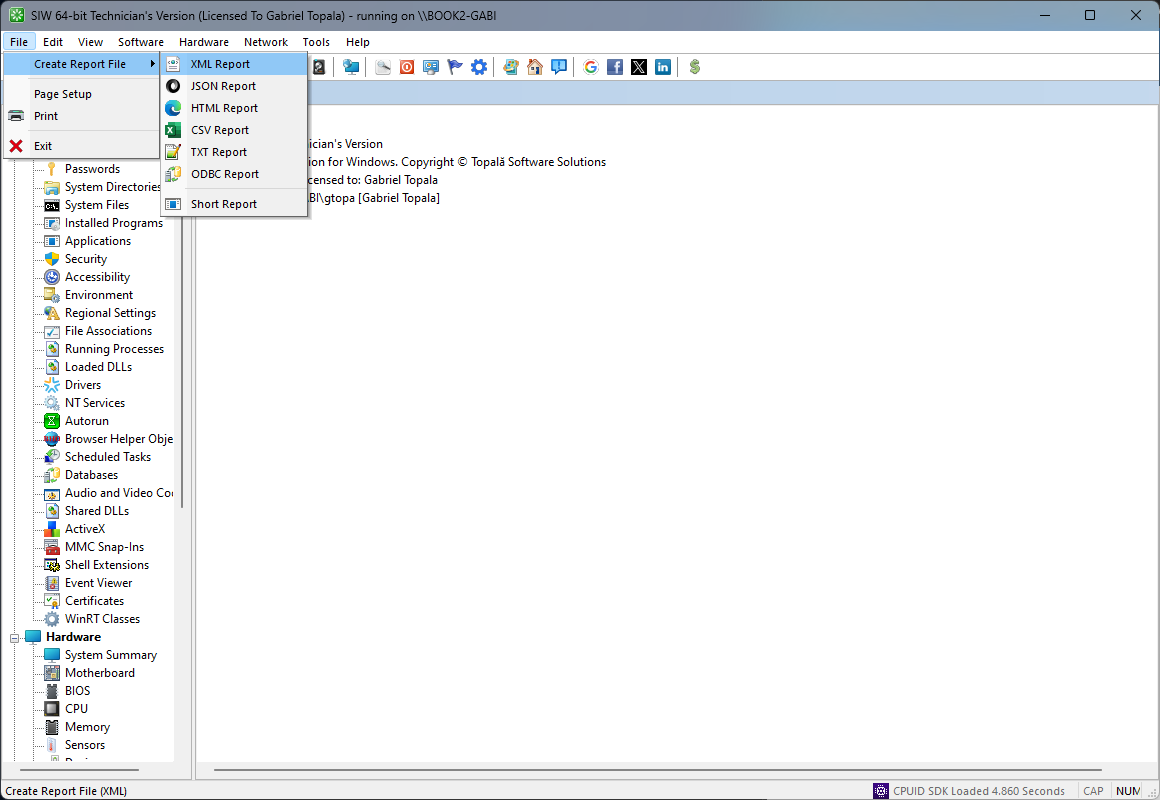
| Reporting and automation | HTML, JSON, CSV, TXT, XML, ODBC, and command-line reports | Engineer provides technician-oriented reporting and automation; Extreme is more local and interactive | Business and Network Audit add network audit reporting, automation, and edition-specific database or change-management workflows |
| Portable or technician use | Technician's Version is portable | Engineer is the technician-oriented edition | Business and Network Audit are deployment and audit products with organization-specific licensing |
| Licensing model | Home and Technician's editions target different use cases | Extreme is home-use only; Engineer is for professional use | Business and Network Audit are for businesses and institutions and are licensed by managed PCs or seats |
Feature availability, report formats, and remote or audit behavior can change between AIDA64 releases. Use the current AIDA64 comparison matrix for a purchase decision.
When AIDA64 Extreme or Engineer is the better fit
- Running detailed local hardware diagnostics, benchmarks, stability tests, or sensor monitoring.
- Using Engineer for professional technician work and deeper single-system analysis.
- Needing AIDA64-specific diagnostic and benchmark workflows rather than a general Windows inventory.
Extreme is intended for home use, while Engineer is the professional technician option. Do not use the home-use Extreme license as a substitute for a commercial deployment license.
When AIDA64 Business or Network Audit is the better fit
- Auditing hardware and software across company-owned computers.
- Tracking inventory changes, network statistics, and organization-wide audit results.
- Using business-oriented reporting, automation, or database workflows that are part of the selected edition.
Business and Network Audit are not interchangeable with Extreme. Business includes a broader business-management and diagnostic scope, while Network Audit is focused on network-wide auditing. Consult the current edition matrix before selecting one.
When SIW is the better fit
- Answering a support question that spans hardware, installed software, Windows services, updates, licenses, and network configuration.
- Collecting a portable technician report without deploying a fleet-audit platform.
- Exporting system information in several formats for documentation, migration, or troubleshooting.
- Using one familiar interface for CPU, memory, motherboard, storage, software, network, and reporting tasks.
Licensing notes from AIDA64
FinalWire's licensing page identifies four relevant editions: Extreme for home use on up to three computers, Engineer for professional technicians, and Business or Network Audit for businesses and institutions. The products provide a 30-day trial, and the exact number of PCs, audit scope, and permitted use depend on the selected license.
SIW likewise separates personal Home use from the portable professional Technician's Version. Compare the intended deployment and license terms before treating either product as an organization-wide inventory solution.