SIW Hardware
Your one-stop solution for all your computer information needs.Latest SIW version: 16.15.0914 Released: September 14th, 2026
SIW - Hardware Inventory Module
Windows hardware analysis
For more details please select one item from the following list:
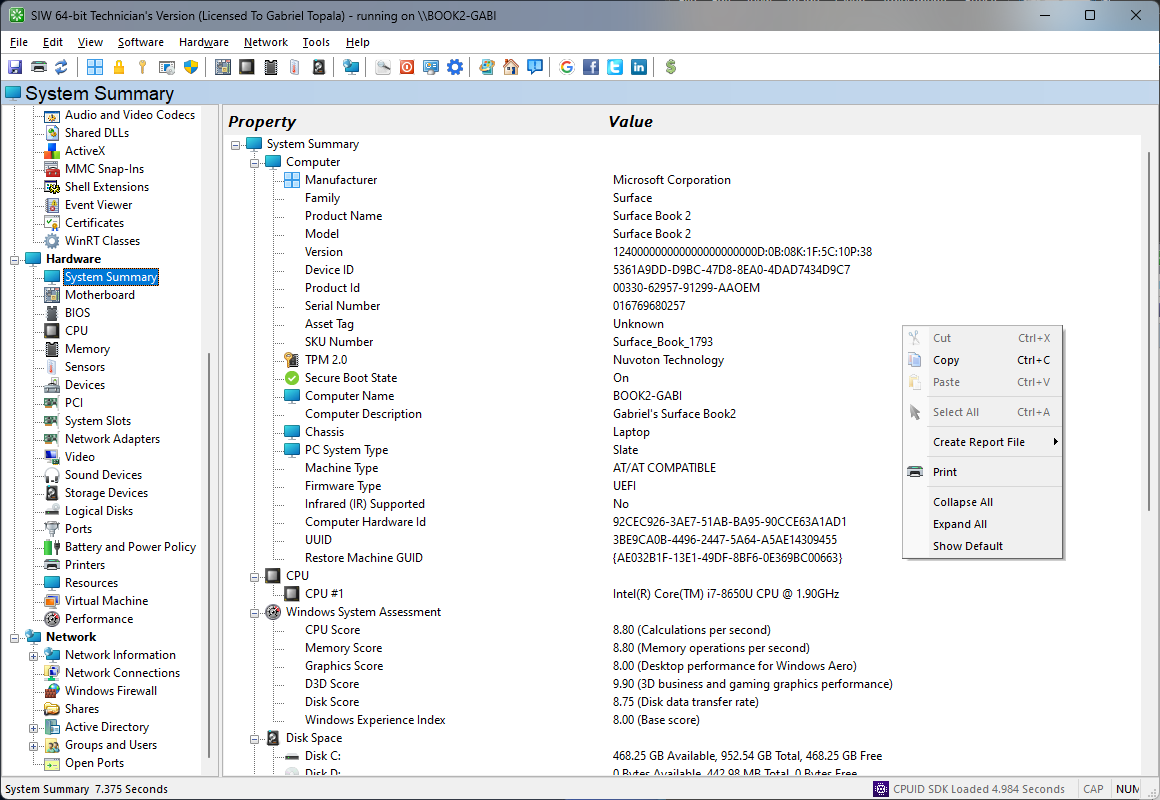
An overview of your system's hardware
The System Summary module in SIW provides a consolidated, high-level overview of the system’s hardware configuration. It is designed to present the most critical hardware information in a single, easily accessible view, enabling rapid assessment without navigating through individual component categories.
SIW aggregates key hardware data points across the entire platform, including system manufacturer and model, motherboard and chipset, processor type and core configuration, installed physical memory, graphics hardware, storage devices, and network adapters. This unified presentation allows users to quickly understand the system’s overall hardware capabilities and layout.
Firmware-related hardware information is also included, such as BIOS or UEFI version, firmware vendor, and boot mode where available. These details help establish platform generation, compatibility, and hardware-level feature support.
The System Summary highlights core resource characteristics—such as total installed memory and primary storage capacity—to support quick diagnostics and hardware comparison. It is particularly useful for initial system evaluation, hardware inventory, asset management, and technical support scenarios where a concise yet accurate hardware snapshot is required.
All information in the System Summary can be exported for documentation or reporting purposes.
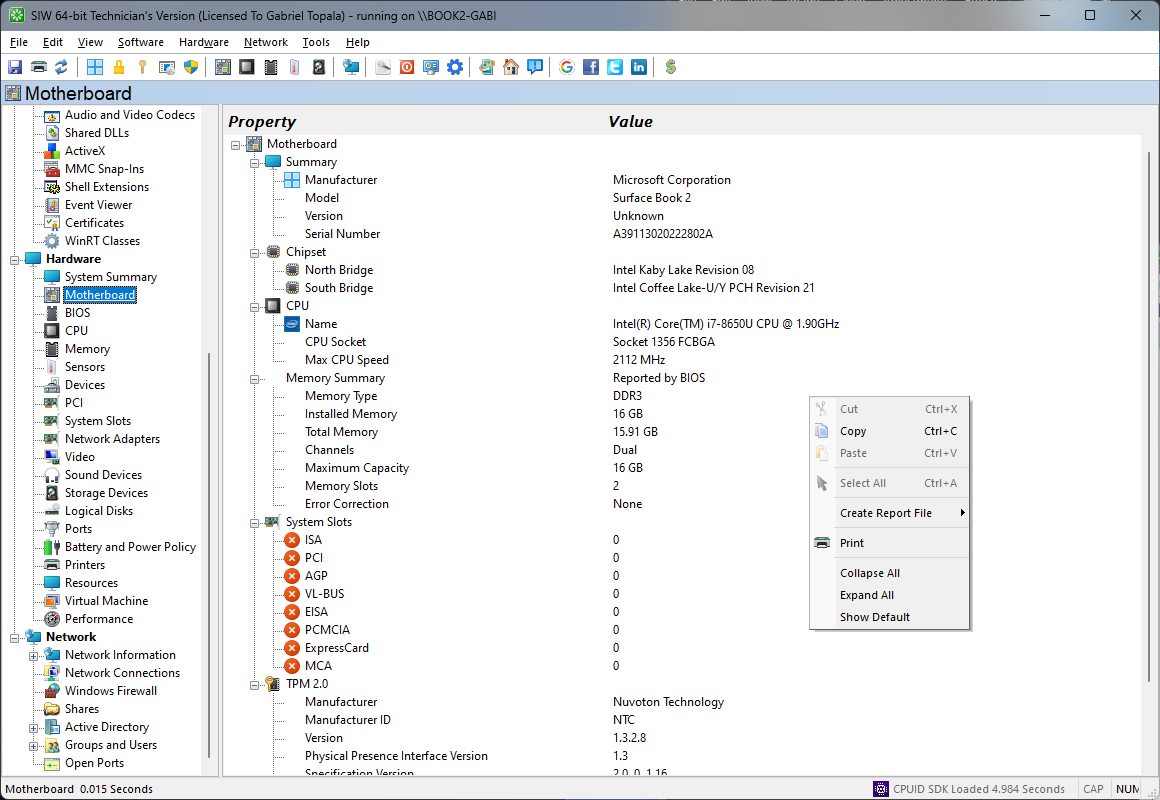
Detailed information about Motherboard
The Motherboard module in SIW provides a detailed identification and configuration overview of the system’s mainboard, serving as a foundational reference for hardware inventory, compatibility verification, and troubleshooting.
SIW detects and reports core motherboard information, including manufacturer, product name, model, version, and serial number, as provided by the system firmware. Chipset details are identified where available, allowing users to understand the platform architecture and supported technologies. This information is particularly useful when validating hardware compatibility, firmware updates, or vendor-specific features.
The module also retrieves BIOS or UEFI-related data associated with the motherboard, such as firmware vendor, version, release date, and supported boot modes. Where applicable, SIW indicates secure boot status and firmware capabilities that influence system initialization and operating system behavior.
Expansion-related information is presented to give visibility into the motherboard’s capabilities and current usage. This includes details about available and populated slots (such as PCI, PCI Express, and M.2), along with lane configuration and link speed where supported. Integrated controllers—such as SATA, NVMe, USB, network, and audio—are identified to provide a complete picture of onboard functionality.
In addition, SIW reports hardware monitoring data exposed by the motherboard, including temperature sensors, voltage readings, and fan information, subject to chipset and firmware support. These parameters assist in diagnosing thermal issues, stability problems, or power-related anomalies.
All motherboard information can be reviewed in a structured format or exported for documentation, auditing, or support purposes.
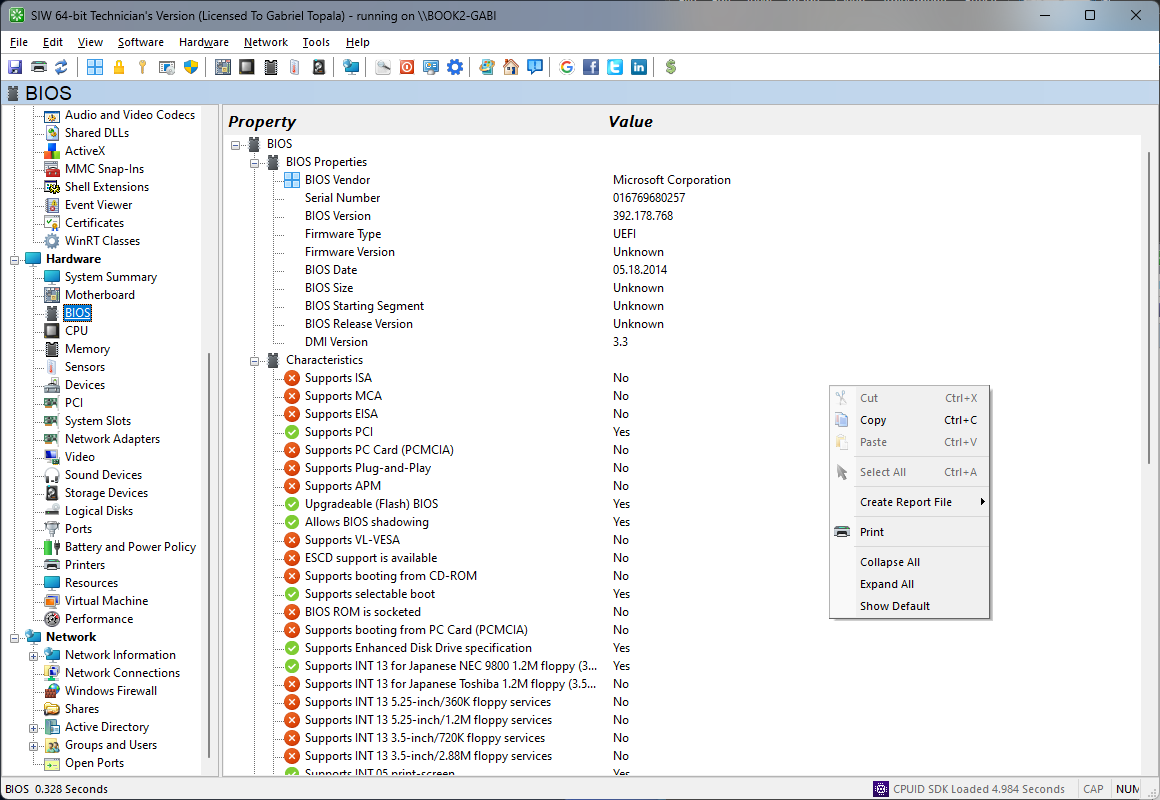
Detailed information about BIOS
The BIOS module in SIW delivers a precise and authoritative overview of the system firmware, providing essential insight into how the platform is initialized, configured, and secured before the operating system loads.
SIW identifies the BIOS or UEFI firmware vendor, version, build identifier, and release date, along with the firmware type in use. This information is critical for compatibility verification, troubleshooting hardware-related issues, and determining whether firmware updates are applicable or required.
The module reports key firmware capabilities and configuration indicators, including supported boot modes (Legacy BIOS and UEFI), current boot mode, and secure boot status where available. SIW also exposes firmware features that affect system behavior, such as ACPI support, power management capabilities, and firmware-level virtualization support when reported by the platform.
Where supported by the system, SIW retrieves detailed SMBIOS and firmware tables, offering visibility into system descriptors that are commonly used by operating systems, deployment tools, and management software. This data is particularly useful for diagnostics, asset management, and automated inventory systems.
SIW may also report BIOS characteristics such as ROM size, system board associations, and firmware capabilities flags, depending on the information exposed by the vendor. All BIOS data can be displayed interactively or exported in multiple formats for documentation, compliance checks, or technical support use.
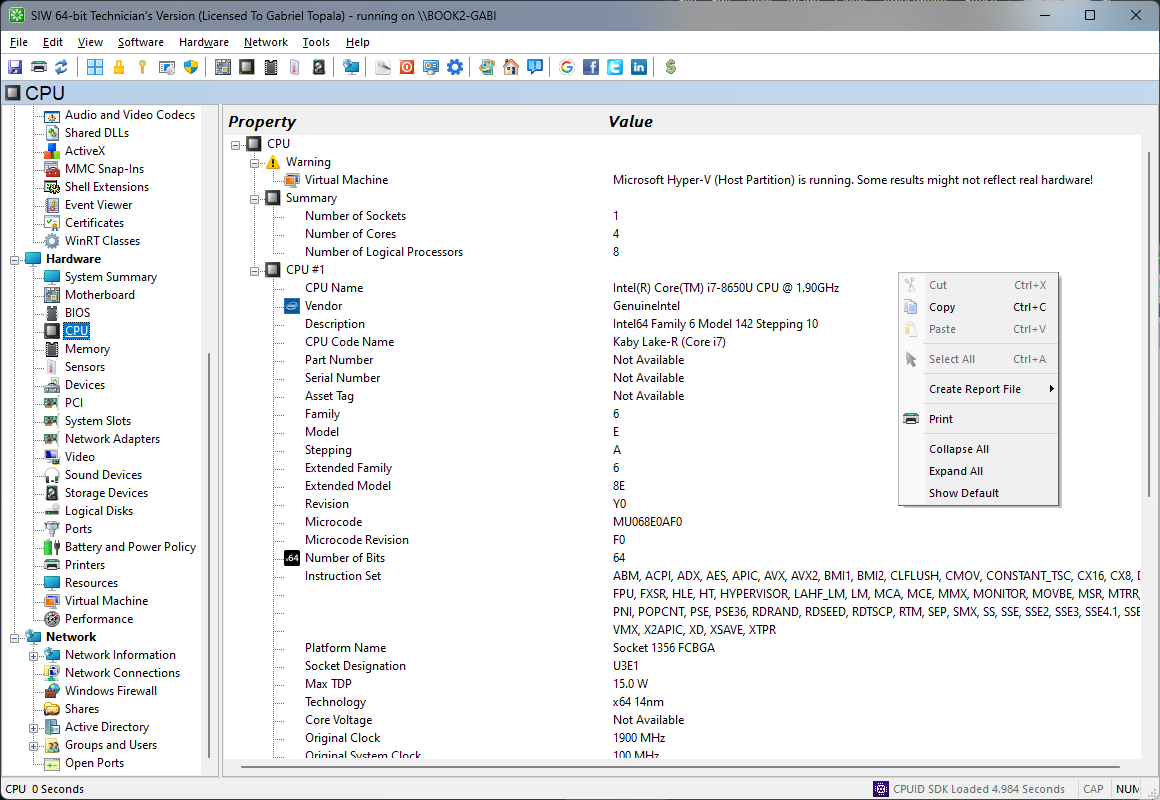
Deep dive into CPU specifications
The CPU module in SIW provides a detailed and authoritative view of the system’s processor, focusing exclusively on physical and architectural characteristics of the CPU. This functionality is intended for hardware identification, performance analysis, and compatibility verification.
SIW identifies the processor manufacturer, model name, family, stepping, and revision, along with package type and socket information where available. Core configuration details are reported with precision, including the number of physical cores, logical processors, and supported execution technologies. Cache hierarchy information—covering L1, L2, and L3 caches and their sizes—is also displayed to give insight into the processor’s internal architecture.
The module reports operating characteristics such as base frequency, maximum turbo frequency, and current clock speeds, as exposed by the hardware. Supported instruction sets and processor features are enumerated, including SIMD extensions and hardware acceleration capabilities that are relevant for performance-critical workloads.
Additional hardware-related attributes, such as thermal design power (TDP), manufacturing process, and virtualization or security feature support, are shown when provided by the processor and platform firmware. Where available, real-time readings such as temperature and voltage are included to assist with thermal and stability assessment.
All CPU information can be reviewed in a structured format or exported for documentation, inventory, and technical analysis.
Deep dive into RAM specifications
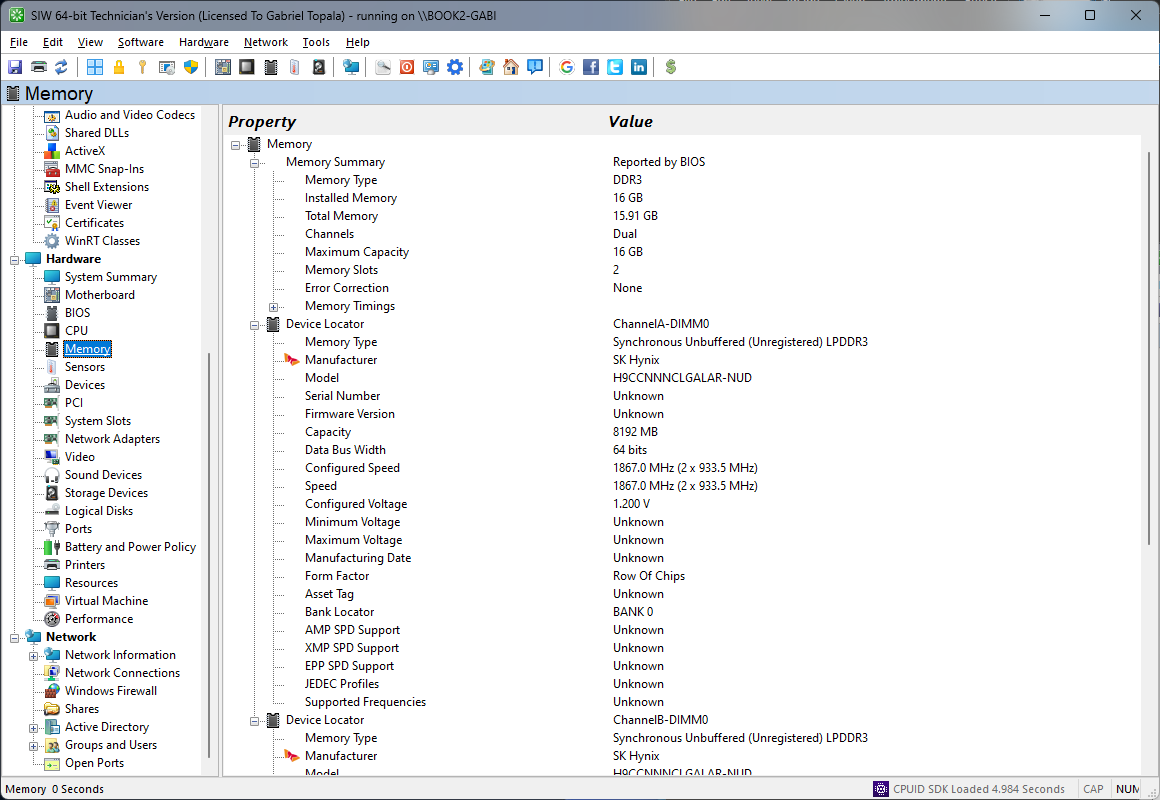
The Memory module in SIW provides a comprehensive overview of the system’s physical memory configuration, focusing on installed hardware, layout, and operating characteristics. This functionality is designed to support hardware inventory, capacity planning, and diagnostic analysis.
SIW reports total installed physical memory and details the configuration across memory channels and slots. For each installed module, information such as manufacturer, part number, serial number, module type (DIMM, SO-DIMM), memory technology (DDR3, DDR4, DDR5), capacity, and rank configuration is displayed where available.
Operating characteristics are presented with precision, including configured memory speed, maximum supported speed, data width, and channel mode. Timing parameters and voltage information are shown when exposed by the hardware and firmware, allowing users to verify correct configuration and identify potential mismatches or performance limitations.
The module also retrieves SPD (Serial Presence Detect) data directly from memory modules, providing authoritative, vendor-supplied specifications for each slot. This is particularly useful for upgrade planning, troubleshooting compatibility issues, and validating system configurations against manufacturer requirements.
All memory information can be viewed interactively or exported for documentation and reporting purposes.
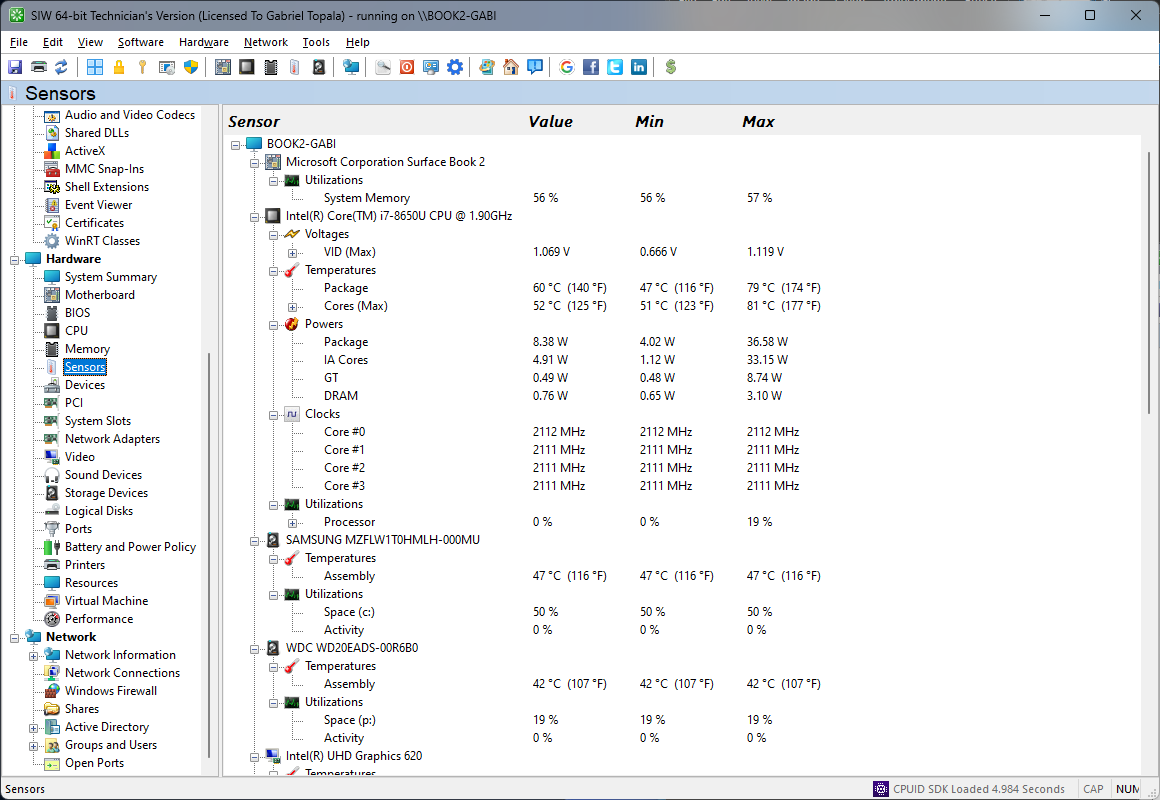
Real-Time Sensor Readings for Temperature, Voltage, Fan Speed, and Power
The Sensors module in SIW provides a detailed overview of the system’s hardware monitoring sensors, focusing on real-time measurements and environmental data reported by the platform.
SIW detects and enumerates available sensors exposed by the motherboard, chipset, and integrated controllers. These typically include temperature sensors, voltage monitors, current readings, and fan speed sensors. Each sensor is identified by type and source, allowing users to understand which component or subsystem is being monitored.
The module presents live readings where supported, enabling observation of operating conditions such as CPU and system temperatures, supply voltages, and cooling performance. This information is essential for diagnosing thermal issues, verifying system stability, and assessing overall hardware health.
Where available, SIW reports sensor thresholds and status indicators that help identify abnormal conditions or values approaching hardware-defined limits. This assists in early detection of potential hardware failures or cooling inefficiencies.
All sensor data can be viewed interactively or exported for documentation and diagnostic analysis.
SIW uses CPUID's System Monitoring Development Kit.
Notes:
The temp readings in the bios have been tweaked in the bios's code such that they're quite accurate for the particular motherboard model.
Third party hardware monitoring programs like SIW make assumptions about the sensor readings that may not be correct for the particular motherboard model.
Sometimes sensors for something are not connected to the intended inputs on the hardware monitoring chips - the motherboard manufacturer compensates for that, but SIW doesn't.
SIW may show a reading for an input no sensor is connected to - it never changes in that case, and may even be an impossible reading.
F.A.Q. about fan speed.
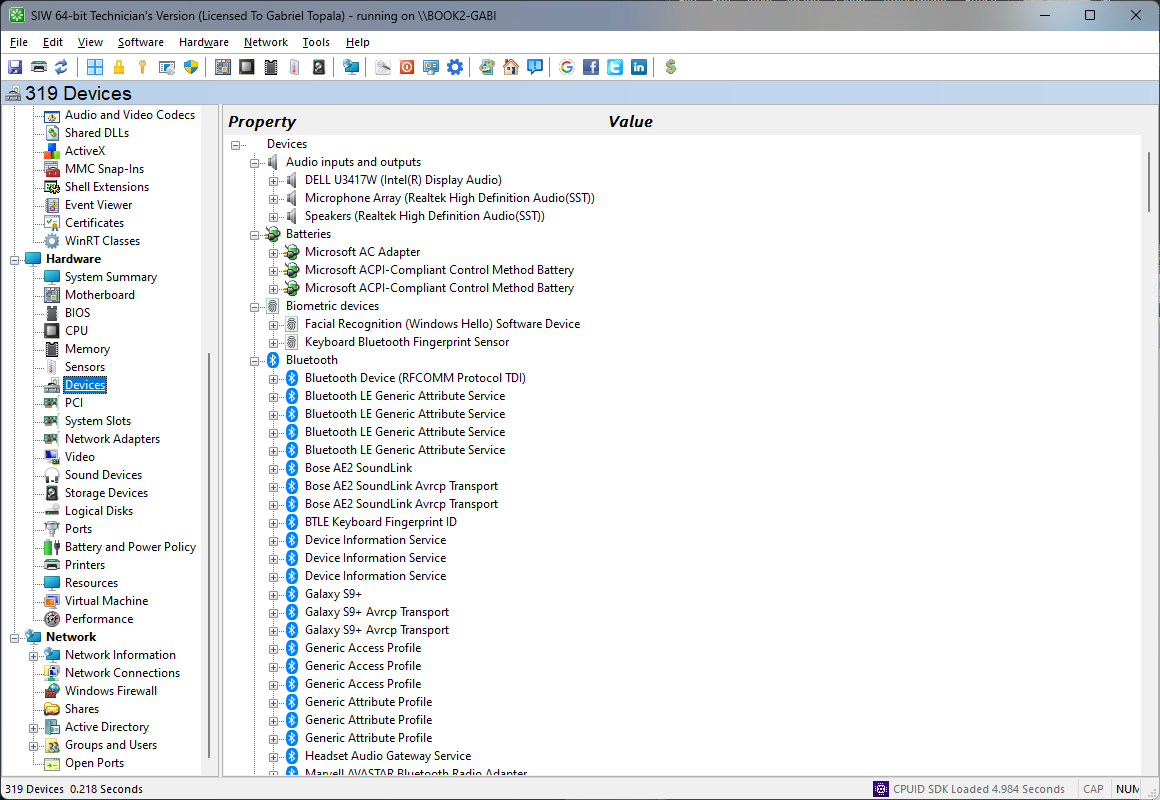
Detailed information about Devices
The Devices module in SIW provides a comprehensive inventory of all hardware devices detected in the system, presenting a unified view of installed and integrated components across the hardware platform. This functionality is intended to support hardware identification, diagnostics, and system analysis.
SIW enumerates devices across all major hardware categories, including display adapters, network interfaces, storage controllers, audio devices, input devices, USB peripherals, system controllers, and chipset-related components. For each device, SIW reports identifying information such as device name, vendor, model, hardware identifiers, and bus or connection type.
Configuration and capability details are displayed where available, including resource assignments such as interrupts, memory ranges, and I/O ports. Device status information is also presented, allowing users to quickly identify hardware that is inactive, disabled, or experiencing resource conflicts.
For expansion and externally connected hardware, SIW clearly distinguishes between integrated and add-on devices, as well as internal and external connections. This helps users understand the physical layout of the system and the relationship between devices and their respective buses or controllers.
All device information can be reviewed in a structured format or exported for documentation, inventory management, and troubleshooting purposes.
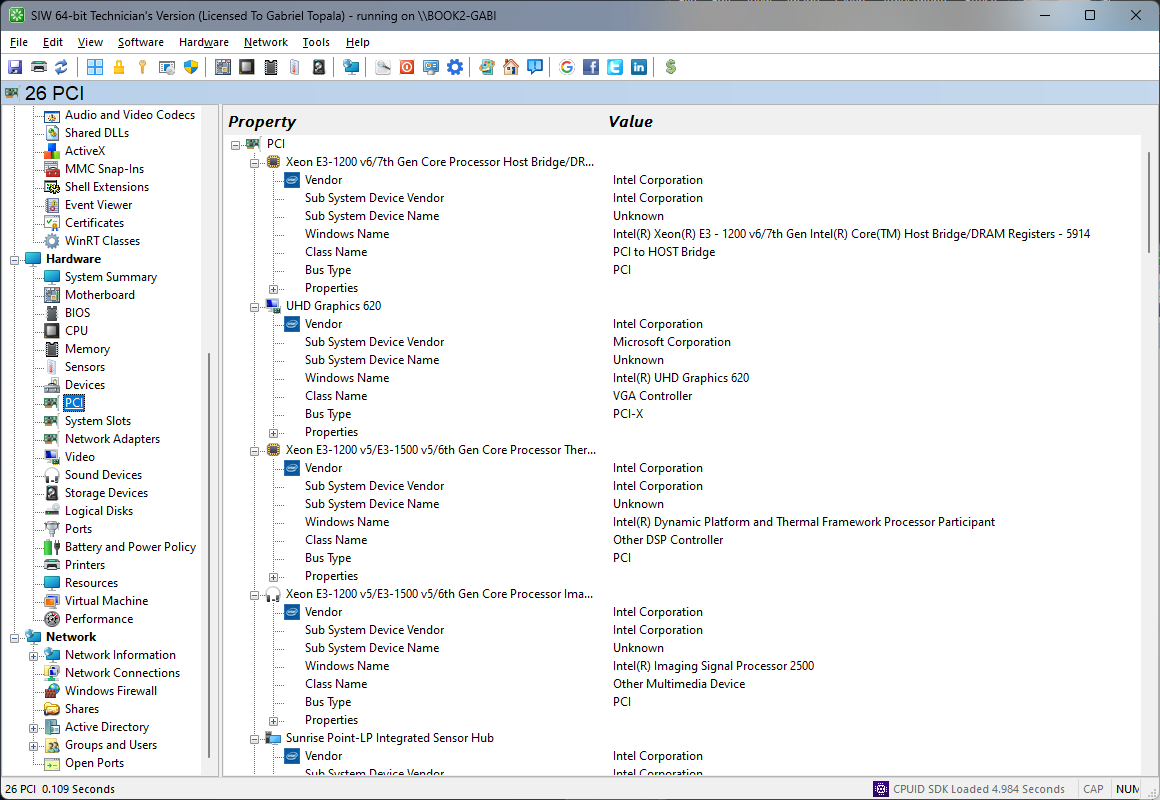
SIW helps you find what those unknown PCI devices in Device Manager really are.
The PCI module in SIW provides a detailed view of the system’s Peripheral Component Interconnect (PCI) and PCI Express (PCIe) subsystem, offering clear insight into installed expansion devices and their connectivity to the platform.
SIW enumerates all PCI and PCIe devices detected in the system, including graphics adapters, network controllers, storage controllers, and other expansion cards. For each device, SIW reports identifying information such as vendor, device name, device and subsystem IDs, and class codes, enabling precise hardware identification.
The module presents bus topology and addressing details, including bus number, device number, function number, and slot association where available. For PCIe devices, link characteristics such as lane width, negotiated link speed, and maximum supported capabilities are shown, allowing users to verify correct configuration and detect bandwidth limitations.
Resource allocation information is displayed where supported, including memory regions, I/O ranges, and interrupt assignments. This data is valuable for diagnosing hardware conflicts, performance issues, or incomplete device initialization.
All PCI information can be reviewed in a structured format or exported for inventory, documentation, and troubleshooting purposes.
Detailed information about Bluetooth hardware and devices
The Bluetooth module in SIW provides a detailed inventory of the system's Bluetooth controller and the wireless devices associated with it. This information is useful for identifying the installed radio, verifying supported Bluetooth features, and troubleshooting pairing or connectivity issues.
SIW reports the Bluetooth version, controller and HCI/LMP revisions, manufacturer, adapter name, Bluetooth address, device class, and supported capabilities. The report distinguishes between Bluetooth BR/EDR and Bluetooth Low Energy (LE), and lists features such as Enhanced Data Rate, Secure Simple Pairing, adaptive frequency hopping, eSCO, and supported packet modes when exposed by the controller.
Radio status is also displayed, including whether the adapter is discoverable and connectable, along with its device flags and LMP flow-control information. These details help confirm the current visibility and connection state of the Bluetooth radio and provide useful diagnostic context for compatibility investigations.
The module enumerates nearby, paired, remembered, and previously detected Bluetooth devices, including each device's friendly name, Bluetooth address, connection state, authentication state, and device flags. Bluetooth Low Energy devices are listed separately with their instance identifiers when available, making it easier to distinguish classic Bluetooth peripherals from LE hardware such as mice and other low-power accessories.
All Bluetooth information can be reviewed in a structured format or exported for hardware inventory, device management, documentation, and technical support.

Detailed information about System Slots
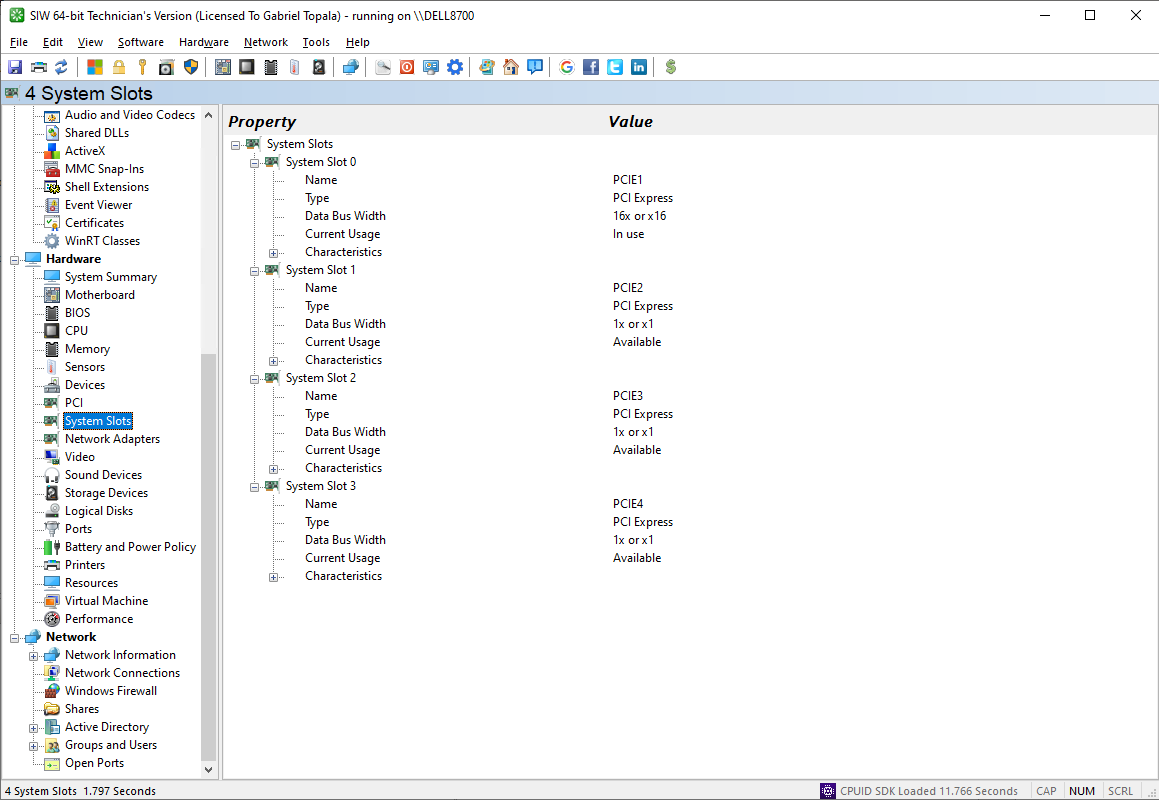
The System Slots module in SIW provides a structured overview of the system’s physical expansion slots, offering clear visibility into available and populated hardware interfaces on the motherboard.
SIW identifies all system slots reported by the platform firmware, including PCI, PCI Express, M.2, and other supported expansion slot types. For each slot, SIW reports slot designation, type, form factor, and electrical characteristics where available, such as supported lane width or bus standard.
The module indicates slot status, distinguishing between empty and occupied slots, and correlates populated slots with the installed devices when possible. This allows users to quickly determine current expansion usage and identify available capacity for hardware upgrades.
Additional attributes, such as slot location, length, and maximum supported capabilities, are displayed when provided by the system firmware. These details assist in ensuring physical and electrical compatibility when planning hardware expansions.
All system slot information can be reviewed interactively or exported for documentation, inventory management, and upgrade planning.
Detailed information about Network Adapters
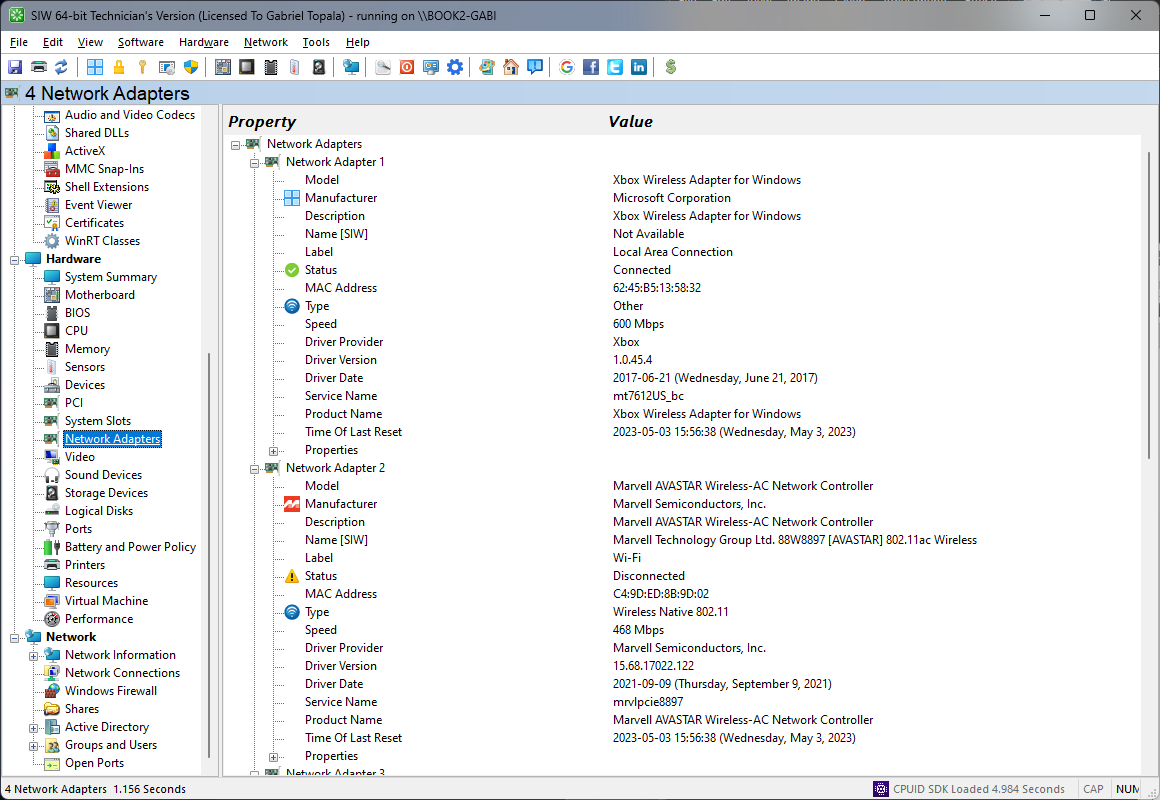
The Network Adapters module in SIW provides a comprehensive overview of the system’s network interface hardware, focusing on physical characteristics, capabilities, and configuration of installed network adapters.
SIW detects all network interfaces present in the system, including Ethernet adapters, wireless network adapters, and virtual hardware interfaces exposed by the platform. For each adapter, SIW reports identifying information such as manufacturer, model, hardware identifiers, and bus or connection type.
Hardware-related capabilities are displayed where available, including supported link speeds, duplex modes, and media types. For wireless adapters, SIW reports standards support and radio-related attributes exposed by the hardware. MAC addresses are shown to allow precise identification of each physical network interface.
The module also indicates adapter status, such as whether the interface is present, enabled, or physically connected. When supported by the hardware, additional details such as link state and negotiated speed are provided to assist in diagnosing connectivity or performance issues.
All network adapter information can be viewed in a structured format or exported for inventory, documentation, and hardware troubleshooting purposes.
Detailed information about Video
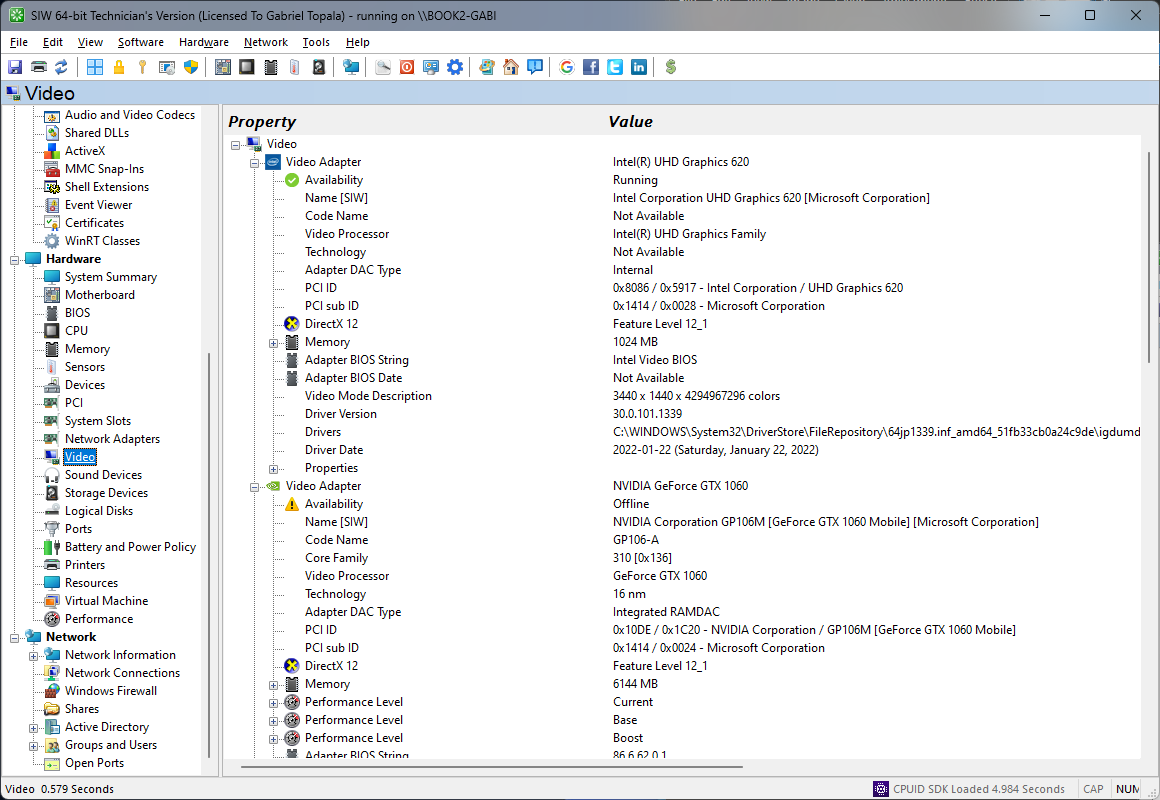
The Video module in SIW provides a detailed overview of the system’s graphics hardware, focusing on physical characteristics, capabilities, and configuration of video adapters and display-related components.
SIW identifies all installed graphics adapters, including integrated and discrete GPUs. For each adapter, it reports manufacturer, model, chipset, device identifiers, bus interface, and firmware-related information where available. Video memory details are presented, including total graphics memory and dedicated memory for discrete adapters.
The module reports hardware capabilities such as supported resolutions, color depths, and multi-monitor support, as exposed by the graphics hardware. Information about connected display outputs and display devices may also be shown, allowing users to understand the physical display configuration and adapter usage.
Additional hardware-related attributes, such as GPU clock speeds, thermal characteristics, and power-related information, are reported when supported by the graphics adapter and platform. These details assist in evaluating graphics performance potential and diagnosing hardware-level display issues.
All video hardware information can be viewed interactively or exported for documentation, inventory, and technical analysis.
Detailed information about Sound Devices
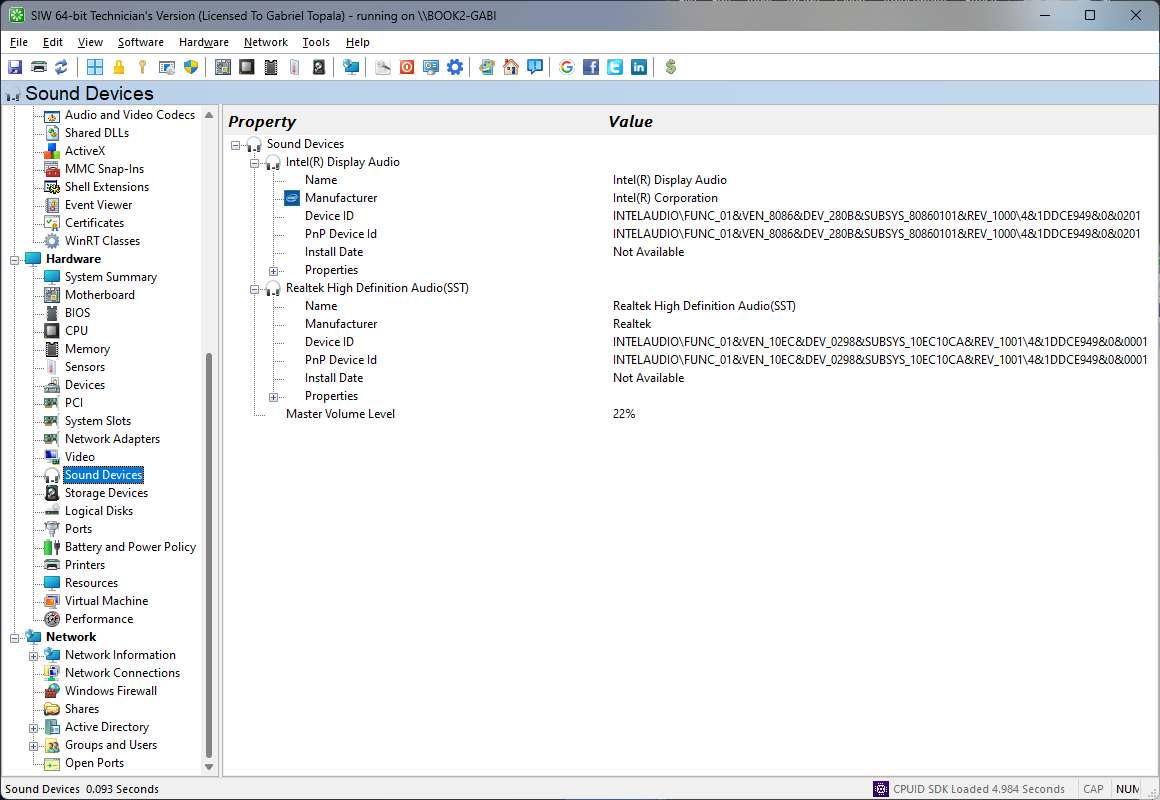
The Sound Devices module in SIW provides a detailed inventory of the system’s audio hardware, focusing on physical sound devices and their hardware-level characteristics.
SIW enumerates all detected sound devices, including integrated audio controllers, discrete sound cards, HDMI or DisplayPort audio devices, and external audio hardware. For each device, SIW reports identifying information such as manufacturer, model, hardware identifiers, and connection or bus type.
The module presents hardware capabilities where available, including supported audio formats, channel configurations, and sampling characteristics as exposed by the device. This information helps in understanding the audio hardware’s functional scope and compatibility with various playback or recording scenarios.
Device status information is shown to indicate whether a sound device is present and operational at the hardware level. For systems with multiple audio controllers, SIW clearly differentiates between integrated and add-on devices, enabling straightforward identification of active and inactive audio hardware.
All sound device information can be reviewed interactively or exported for documentation, inventory management, and hardware troubleshooting.
Detailed information about Storage Devices
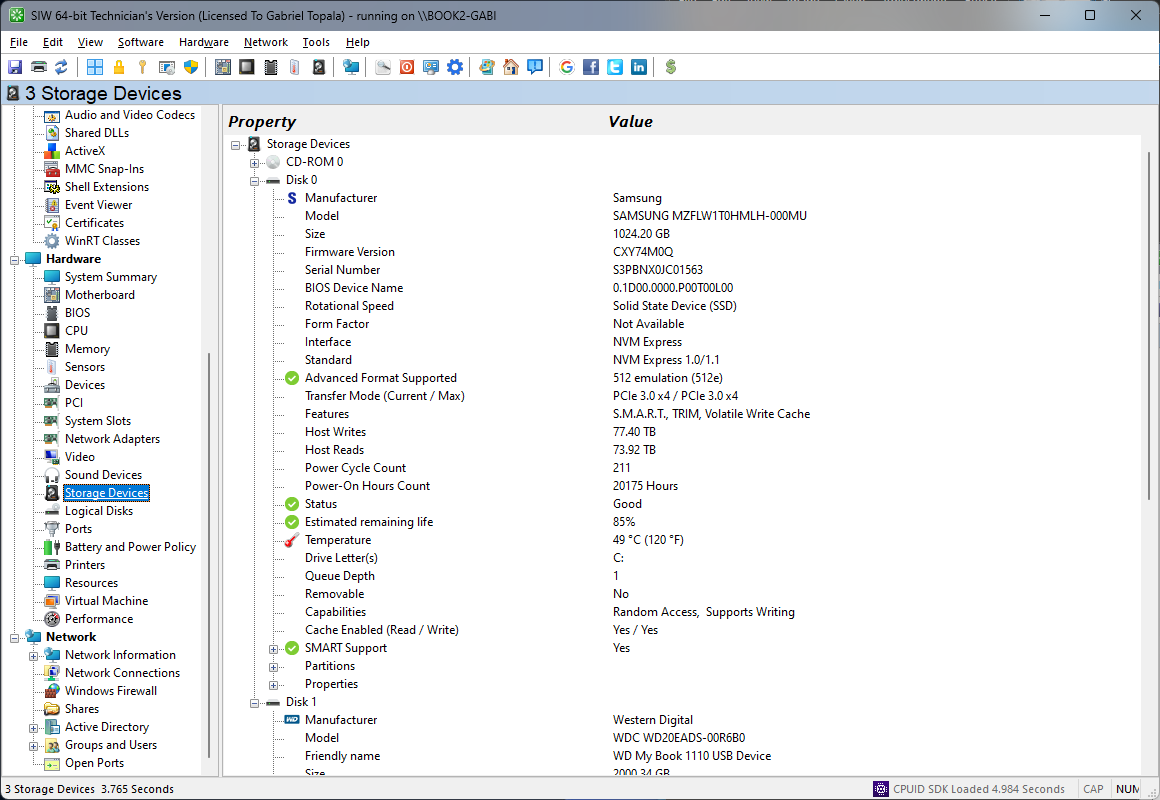
SIW provides a comprehensive and technically detailed overview of all storage devices detected on the system, covering both physical hardware and logical volumes. This module is designed to give administrators, developers, and support professionals immediate visibility into storage configuration, capabilities, and health-related attributes.
SIW enumerates all mass storage devices, including HDDs, SSDs, NVMe drives, USB storage, and removable media. For each physical device, it reports manufacturer, model, serial number, firmware revision, interface type (IDE, SATA, SCSI, NVMe, USB), rotational status, and supported features. Capacity details are presented with precision, including total size, sector size, and geometry where applicable.
Logical storage information is mapped to the underlying hardware, allowing users to correlate partitions and volumes with their physical devices. SIW displays partition layout, file system type, volume label, drive letter or mount point, total size, free space, and usage statistics. For systems using advanced configurations, such as GPT/MBR partition schemes, dynamic disks, or storage spaces, relevant structural information is also shown.
Where supported by the device and driver, SIW retrieves S.M.A.R.T or NVM Express attributes to assist in evaluating drive reliability and wear status. This includes raw attribute values, thresholds, and indicators commonly used to identify early signs of failure, particularly important for SSDs and NVMe devices.
The Storage Devices module also reports performance- and configuration-related parameters, such as queue depth, command support, and alignment information, helping diagnose performance issues or suboptimal configurations. All data can be reviewed interactively or exported in multiple formats for documentation, auditing, or troubleshooting purposes.
Detailed information about Logical Disks
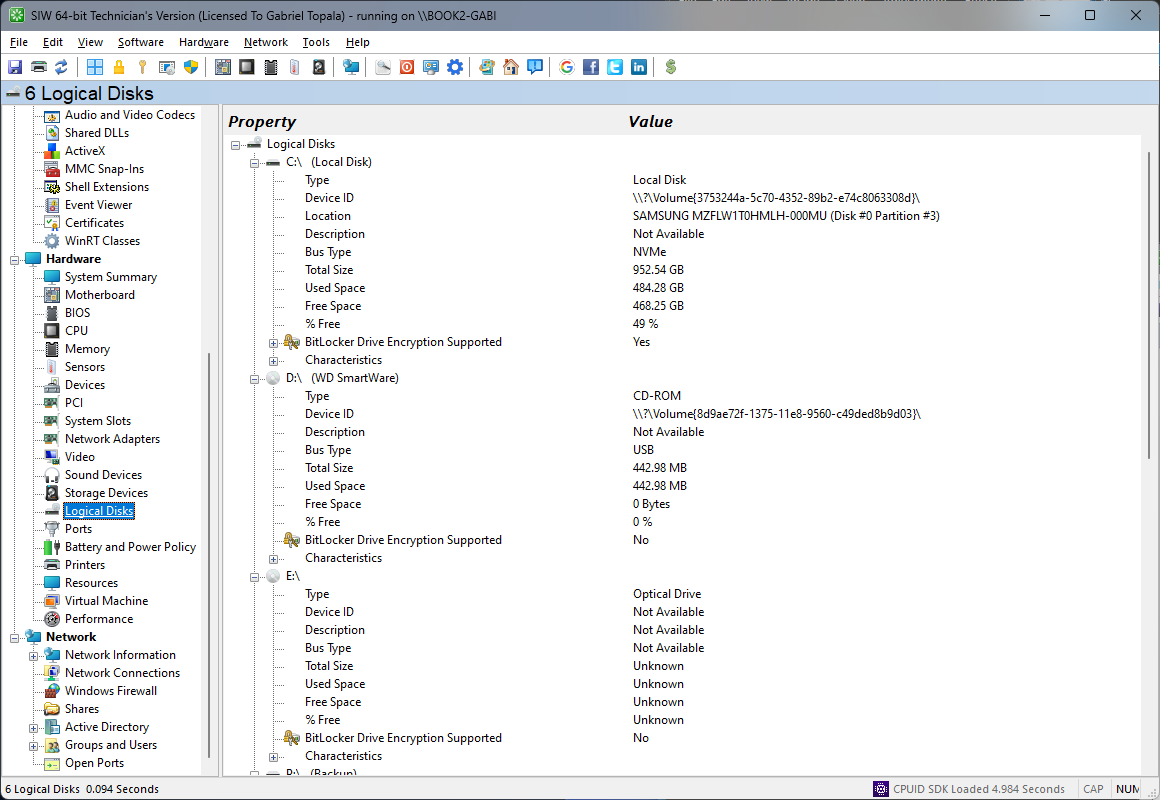
The Logical Disks module in SIW focuses on the operating system’s view of storage, presenting detailed information about all mounted volumes and accessible disk resources. This functionality is intended to provide a clear understanding of how storage capacity is allocated, formatted, and utilized at the file system level.
SIW enumerates all logical disks, including fixed drives, removable media, optical drives, network-mapped volumes, and virtual or RAM-based disks. For each logical disk, SIW reports the drive letter or mount point, volume label, file system type (such as NTFS, FAT32, exFAT, ReFS, or network file systems), and overall status.
Capacity and usage statistics are displayed with accuracy, including total size, available free space, used space, and percentage utilization. This allows quick identification of disks approaching capacity limits or exhibiting abnormal usage patterns. SIW also reports allocation unit (cluster) size and volume serial number, which are often relevant for compatibility checks and forensic or administrative tasks.
For local disks, SIW provides additional attributes such as drive type, readiness state, and access permissions. When available, mount options, compression support, and file system capabilities are also indicated. For network and removable drives, SIW clearly identifies their nature and connectivity, helping distinguish between local and remote storage resources.
The Logical Disks module complements SIW’s physical storage reporting by abstracting hardware complexity and focusing on usable storage from the operating system’s perspective. All collected information can be exported in multiple formats, making it suitable for inventory management, system audits, capacity planning, and technical support documentation.
Physical and Logical System Ports
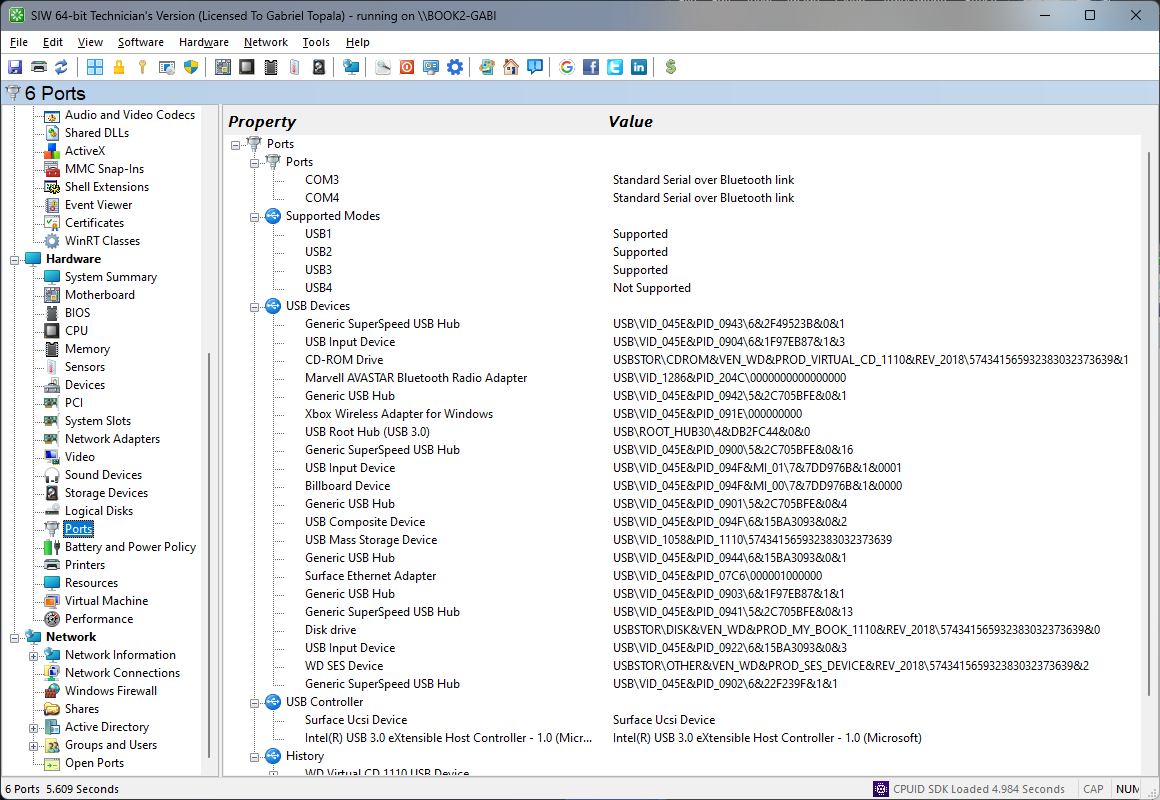
The Ports module in SIW provides a structured overview of the system’s physical and logical hardware ports, offering clear visibility into available input/output interfaces and their current configuration.
SIW enumerates all ports reported by the system hardware and firmware, including serial (COM), parallel (LPT), USB, and other supported I/O port types. For each port, SIW reports identifying details such as port name, type, address, and associated controller where available.
The module displays port status information, indicating whether a port is present, enabled, or in use. Resource-related details, such as I/O addresses and interrupt assignments, are shown when exposed by the platform, assisting in the diagnosis of hardware conflicts or connectivity issues.
For externally accessible ports, SIW helps correlate logical port representations with their physical interfaces, allowing users to understand how devices connect to the system. This is particularly useful when troubleshooting legacy peripherals or validating system configurations that rely on specific port availability.
All port information can be reviewed interactively or exported for documentation, inventory, and hardware troubleshooting purposes.
Detailed information about Battery and Power Policy
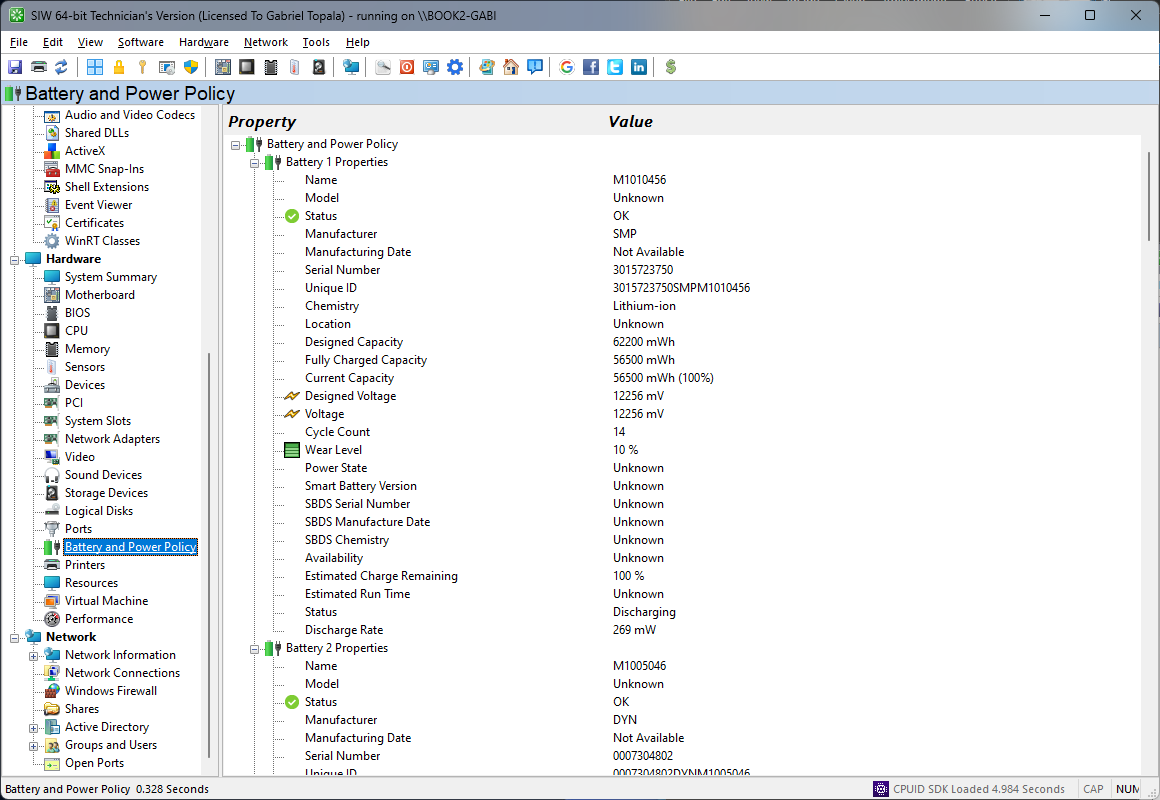
The Battery and Power Policy module in SIW provides a comprehensive view of the system’s power-related hardware and configuration, focusing on battery characteristics and hardware-level power management settings. This functionality is especially relevant for portable and energy-conscious systems.
SIW reports detailed battery hardware information, including manufacturer, model, serial number, chemistry, design capacity, full charge capacity, and current charge level. These values allow users to evaluate battery condition, aging, and overall health by comparing original specifications with current performance.
In addition to battery data, the module presents power policy–related information that reflects how the hardware manages power consumption. This includes current power source, charging state, and power-related capabilities exposed by the platform firmware and hardware controllers.
Where supported by the system, SIW displays real-time operational parameters such as voltage, charge or discharge rate, remaining capacity, and estimated runtime. Hardware indicators such as cycle count, temperature, and health status are also shown when available, supporting detailed power diagnostics.
All information in the Battery and Power Policy module can be reviewed interactively or exported for documentation, inventory, and diagnostic purposes.
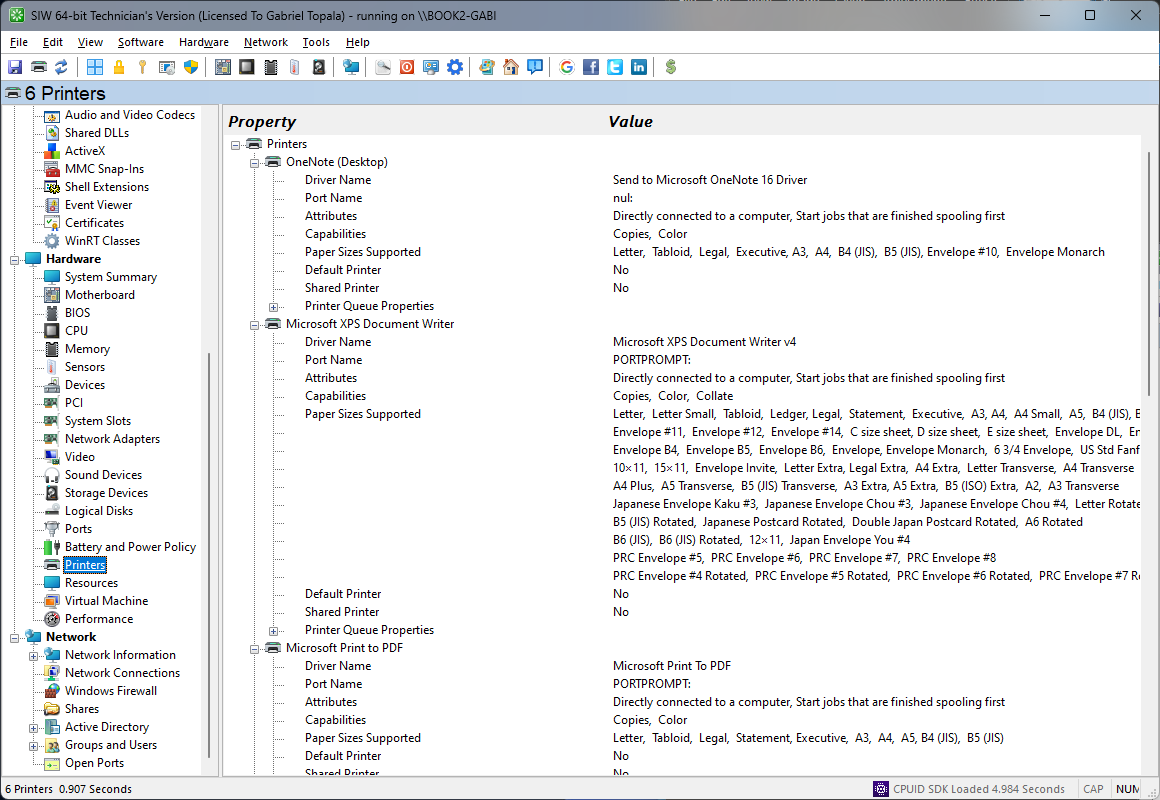
Detailed information about Printers
The Printers module in SIW provides a detailed inventory of printer hardware available to the system, focusing on physical and logical printer devices and their hardware-related characteristics.
SIW enumerates all detected printers, including locally connected printers, network printers, and virtual or emulated printer devices exposed to the system. For each printer, SIW reports identifying information such as printer name, manufacturer, model, and connection type.
The module displays hardware-related attributes where available, including device identifiers, port associations, and printer status. This allows users to determine whether a printer is present, accessible, and correctly connected at the hardware interface level.
For systems with multiple printers, SIW clearly differentiates between local and network-connected devices and indicates default printer designation where applicable. This helps in understanding printer availability and physical connectivity within the system environment.
All printer information can be viewed interactively or exported for documentation, inventory management, and troubleshooting purposes.
Detailed information about Resources
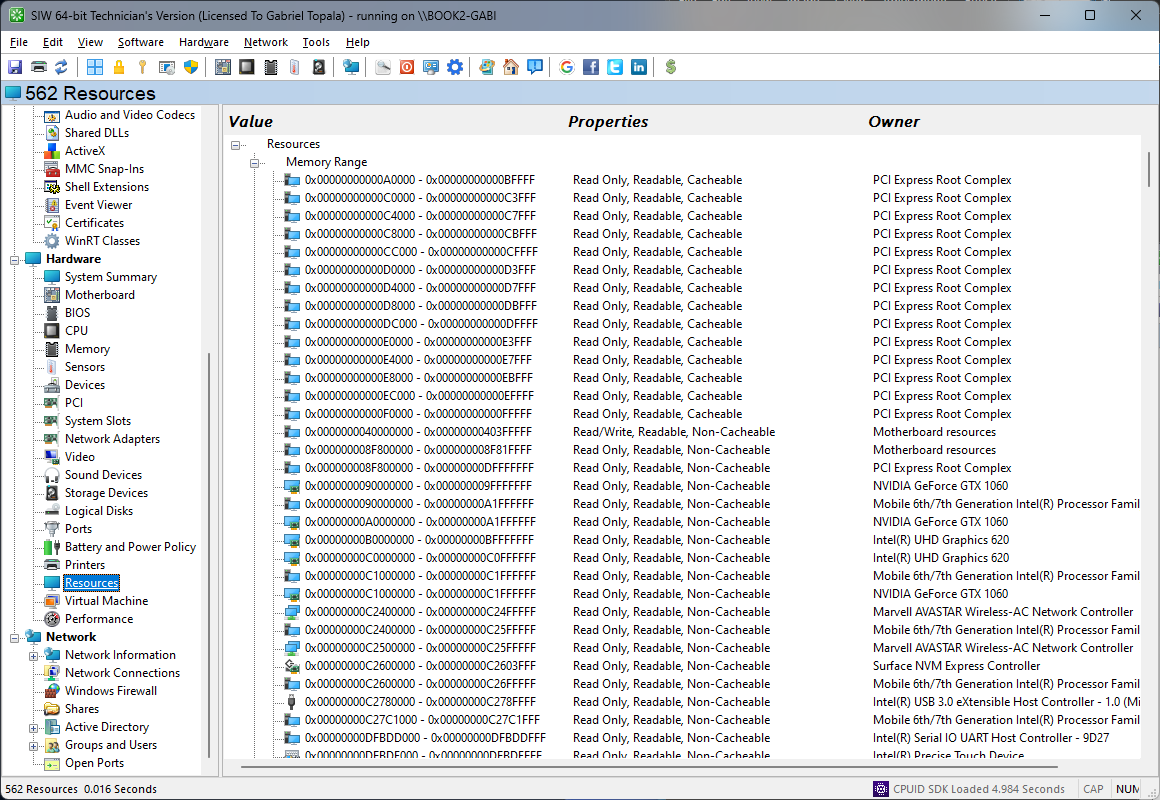
The Resources module in SIW provides a detailed view of how hardware resources are allocated and utilized across the system. This functionality focuses on low-level resource assignments that govern how devices interact with the platform.
SIW reports key hardware resources, including interrupt requests (IRQs), direct memory access (DMA) channels, I/O port ranges, and memory address ranges. These resources are presented in a structured manner, allowing users to see how they are assigned to individual devices and controllers.
The module highlights shared and exclusive resource usage, making it easier to identify potential conflicts, overlaps, or unusual configurations that may impact system stability or performance. This is particularly valuable when diagnosing hardware issues or compatibility problems involving legacy or specialized devices.
Resource information can be correlated with the associated hardware devices, providing clear context for each allocation. This association helps users understand the relationship between system components and the underlying resource architecture.
All resource data can be reviewed interactively or exported for documentation, inventory, and diagnostic purposes.
Detailed information about Virtual Machines
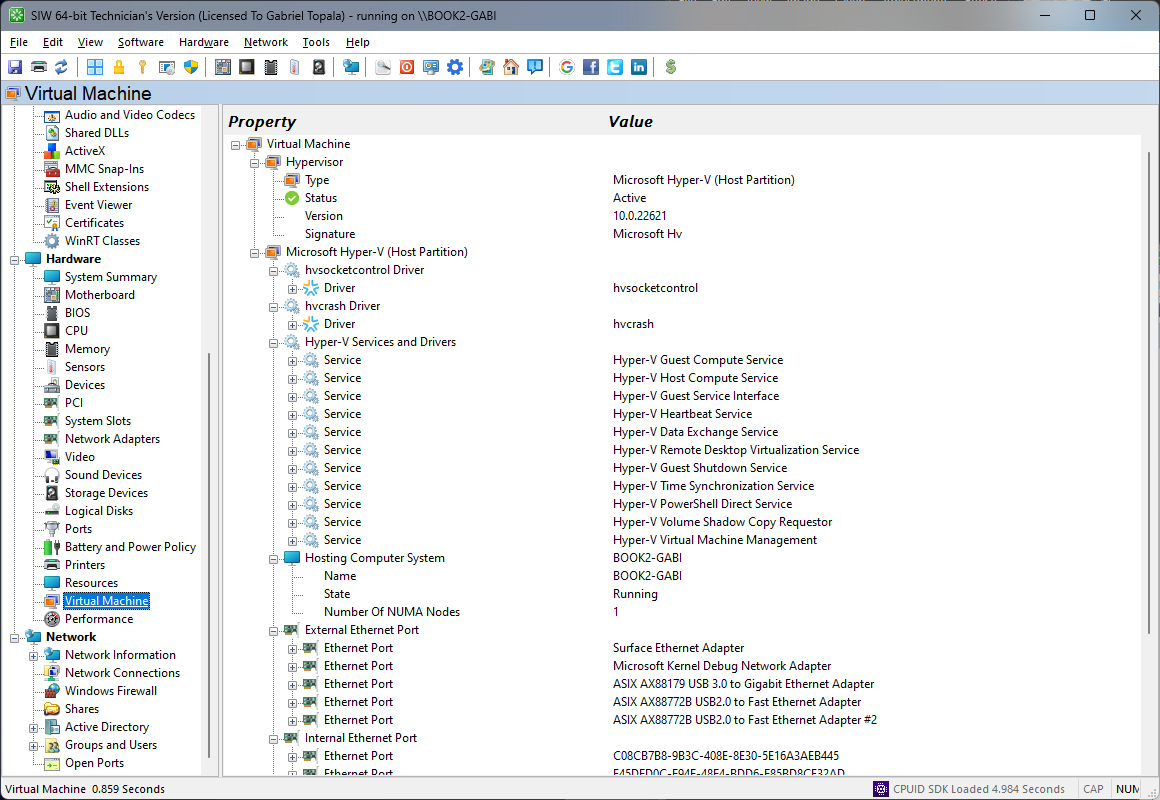
The Virtual Machines module in SIW provides an overview of virtualization-related hardware characteristics and detected virtual machine environments. This functionality focuses on identifying virtualized platforms and the hardware abstraction layers presented to the system.
SIW detects whether the system is running as a virtual machine and identifies the virtualization platform where possible. Information such as virtual machine type, virtual hardware identifiers, and virtualization vendor is reported to help distinguish physical systems from virtualized environments.
The module presents details about the virtualized hardware exposed to the guest system, including virtual CPU characteristics, virtual memory configuration, and virtual storage and network adapters. This allows users to understand how hardware resources are abstracted and presented within the virtual machine.
Where supported, SIW reports virtualization-related capabilities and indicators that reflect the presence of hardware-assisted virtualization features. These details assist in compatibility verification, performance analysis, and troubleshooting in virtualized deployments.
All virtual machine information can be reviewed interactively or exported for documentation, inventory, and analysis purposes.
Hardware Performance Counters and Utilization
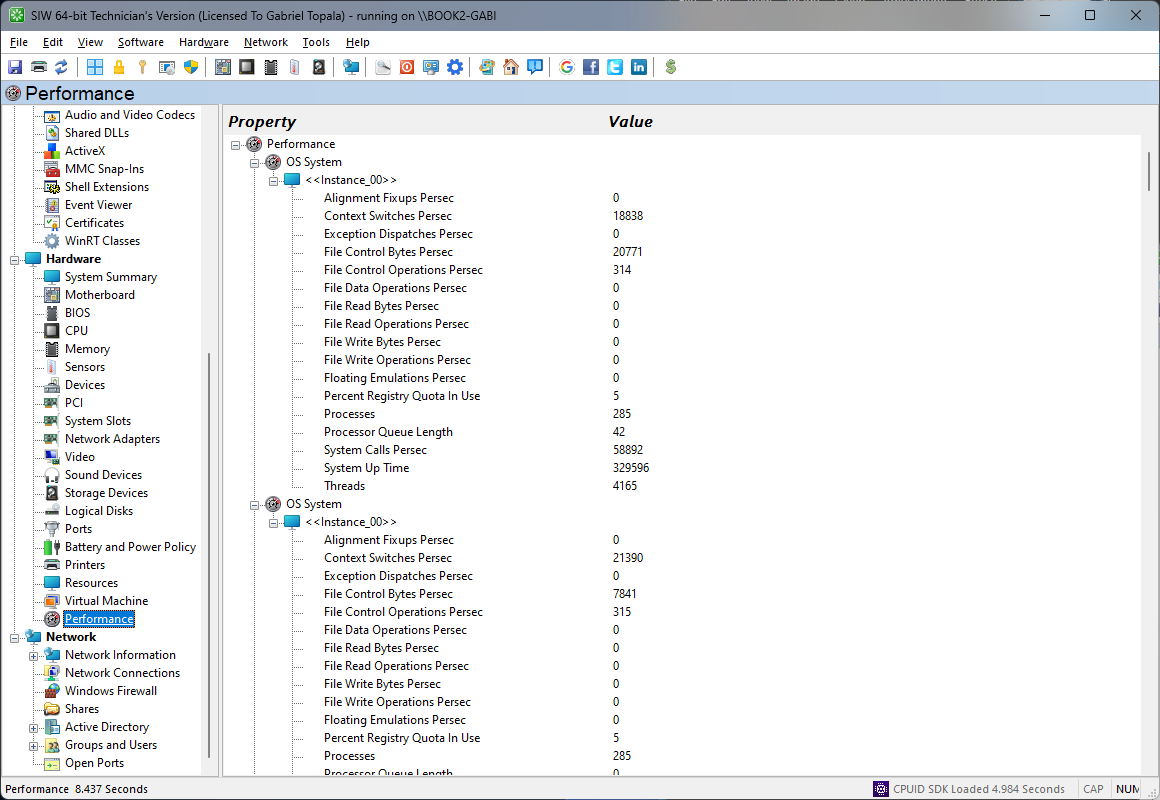
The Performance module in SIW provides a live overview of system performance indicators, helping you understand how the hardware is behaving under current workload conditions.
SIW can display utilization and activity data for key hardware resources such as processor usage, memory consumption, disk throughput, and network activity where this information is exposed by Windows performance counters and related system interfaces. This helps identify bottlenecks, unusual activity, and systems operating near capacity.
The module is especially useful during troubleshooting and performance analysis, allowing administrators and support professionals to correlate observed slowdowns with actual hardware or subsystem load.
PnP Devices (Plug and Play Devices)
The PnP Devices module in SIW’s Devices inventory represents a hardware component that the Windows Plug and Play (PnP) subsystem has detected and bound to a driver. SIW enumerates all PnP devices present in the system—this includes onboard components, removable peripherals, and expansion cards that comply with the Microsoft PnP model.
For each PnP Device, SIW reports key identifying information such as the device’s friendly name, manufacturer/vendor string, hardware identifiers (such as Hardware ID and Compatible IDs), and the device status as communicated by the operating system. This enables rapid identification of what the device is and whether it is properly recognized by Windows.
Where available, SIW also displays driver-related details associated with the PnP device, including the installed driver provider, version, and driver file names. Bus topology information—such as USB port path or PCI bus/slot location—is shown when reported by the system, helping clarify how the device is physically attached to the platform.
PnP Devices may include things like USB peripherals, display adapters, network interfaces, audio controllers, and other system components that support Plug and Play. If a device is using a generic driver (e.g., “Generic PnP Monitor”), SIW will still list the device but may show generic identifiers; this indicates that Windows has detected the device but either lacks a vendor-specific driver or the device has no detailed identification strings available.
SIW’s PnP Device report is useful for troubleshooting unknown or malfunctioning hardware, resolving missing driver issues, and documenting the complete set of currently connected or installed devices on the system.
