SIW vs HWiNFO: Which Windows Hardware Information Tool Should You Use?
Your one-stop solution for all your computer information needs.Latest SIW version: 16.16.1014 Released: October 14th, 2026 • What's new Download the free 14-day trial Buy SIW
Short answer
HWiNFO is primarily a deep hardware analysis and real-time monitoring tool, with extensive sensor coverage, logging, alerts, and hardware reports. SIW is a broader Windows information and inventory tool that adds installed software, services, drivers, licenses, network configuration, open ports, shares, and multi-domain reports.
Choose HWiNFO when sensor detail and live hardware monitoring are the main requirement. Choose SIW when the question spans hardware and the rest of the Windows environment. They can also be complementary: HWiNFO for live sensor depth and SIW for system inventory and documentation.
Capability comparison
| Capability | SIW | HWiNFO | Practical difference |
|---|---|---|---|
| Hardware identification | Broad hardware inventory | Deep hardware inventory | Both cover CPU, motherboard, memory, graphics, storage, buses, and devices; emphasis differs. |
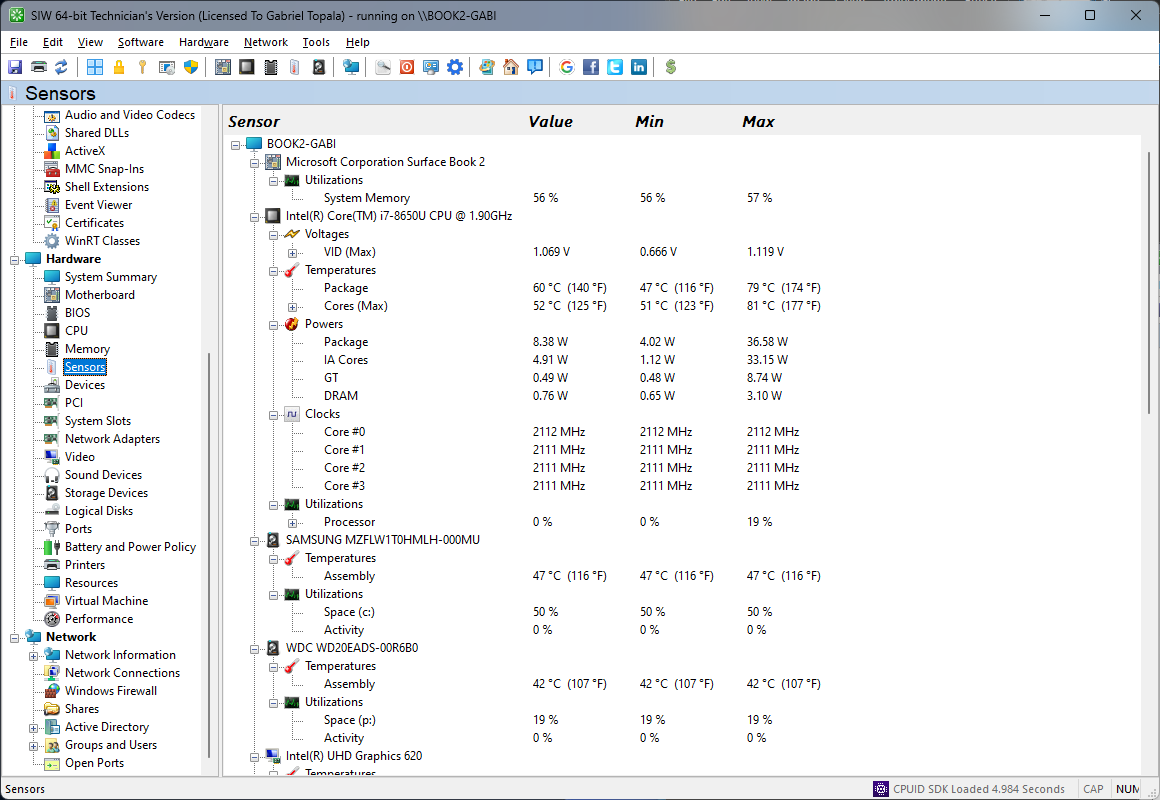
| Temperature, voltage, and fan sensors | Yes, hardware-dependent | Yes, hardware-dependent | HWiNFO is especially focused on sensor enumeration, live values, logging, graphs, and alerts. |
| Hardware monitoring workflow | Inventory and diagnostic readings | Real-time monitoring and logging | Use HWiNFO when continuous monitoring is the central task; use SIW when readings are part of a system report. |
| Installed software and licenses | Yes | Not a primary focus | SIW inventories registered programs, licenses, updates, services, drivers, and processes. |
| Network configuration and open ports | Yes | Not a primary focus | SIW has dedicated network inventory modules; HWiNFO remains hardware-centric. |
| Windows services and scheduled tasks | Yes | Not a primary focus | SIW can document the software environment beyond physical hardware. |
| Reporting | Multi-module reports and command-line output | Hardware, sensor, and monitoring reports/logs | Both report, but the report subject is different. |
| Portable use | Technician's Version is portable | Official installer and portable packages | Both support field diagnostics without a traditional installation. |
| Commercial licensing | Use the SIW edition that matches the work | HWiNFO 64 and ARM64 require Pro licensing for commercial use beyond evaluation | Do not infer business-use rights from the download being free for personal use. |
Where HWiNFO is the better fit
- Watching CPU, GPU, storage, motherboard, and power sensors in real time.
- Logging temperatures, voltages, clocks, fan speeds, and power over a test interval.
- Investigating thermal throttling, unstable clocks, fan behavior, or sensor thresholds.
- Using a hardware-focused portable or installer-based diagnostic utility.
HWiNFO's hardware depth is a meaningful advantage when the diagnostic question is about live physical behavior rather than the complete Windows configuration.
Where SIW is the better fit
- Creating a support report that includes hardware, installed programs, services, updates, users, drivers, and network data.
- Reviewing software licenses and installed applications alongside the hardware that runs them.
- Investigating network adapters, IP configuration, open ports, shares, firewall state, or directory information.
- Collecting a portable technician inventory rather than only monitoring sensors.
Edition and licensing notes
HWiNFO provides installer and portable packages. Its licensing page states that HWiNFO 64 and ARM64 non-Pro editions are free for personal and non-commercial use, but commercial use is limited to a 14-day evaluation unless the appropriate Pro license is used. The Personal Pro license is not a commercial license; Engineer and Corporate licensing are the relevant commercial options.
SIW also separates personal and professional use through its Home and Technician's editions. Compare the intended use, deployment model, and reporting requirements rather than comparing only the free download labels.