SIW vs Speccy: Which Windows System Information Tool Is Right for You?
Your one-stop solution for all your computer information needs.Latest SIW version: 16.16.1014 Released: October 14th, 2026 • What's new Download the free 14-day trial Buy SIW
Short answer
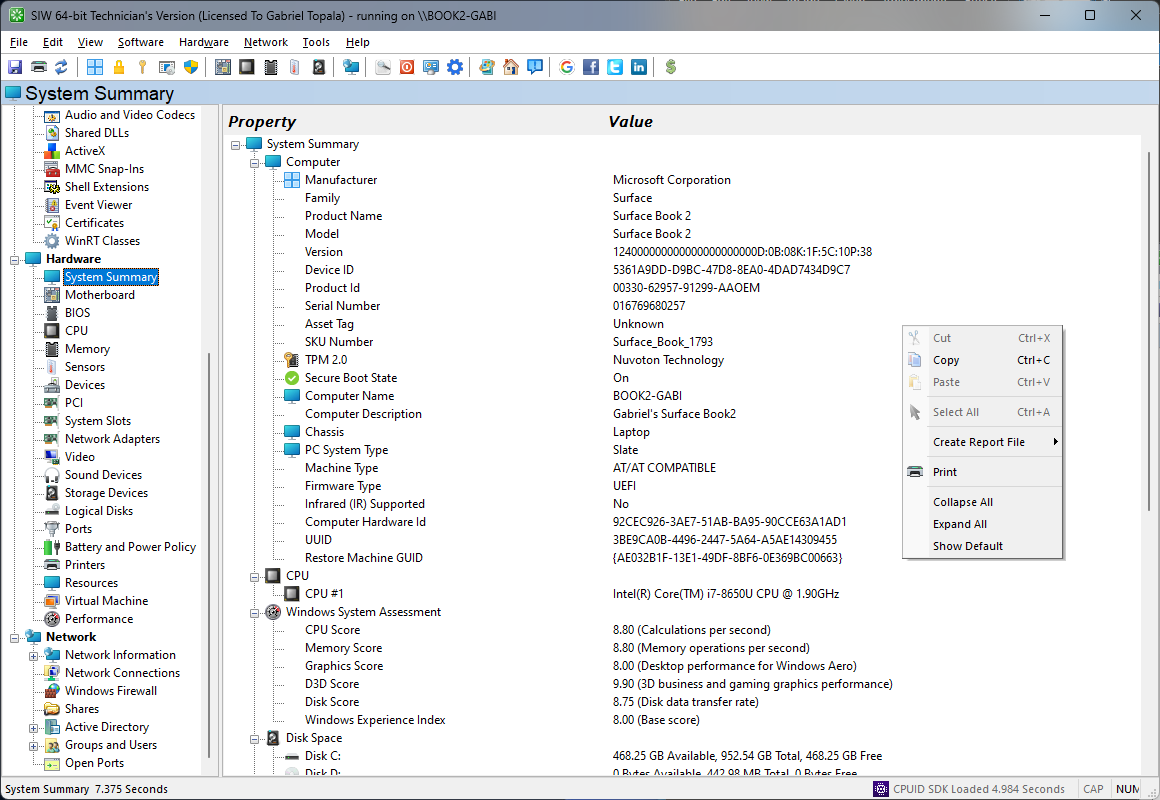
Speccy is a lightweight, readable PC summary tool for quickly viewing hardware, operating-system, storage, graphics, audio, peripherals, network-adapter, and temperature information. SIW covers those hardware areas but extends further into installed software, licenses, updates, services, processes, network configuration, open ports, shares, and structured reporting.
Choose Speccy for a quick snapshot that is easy to read and export. Choose SIW when you need a broader inventory, technician workflow, or a report that covers the software and network environment as well as hardware.
Capability comparison
| Capability | SIW | Speccy | Practical difference |
|---|---|---|---|
| CPU, motherboard, RAM, graphics, and storage | Yes | Yes | Both provide a useful hardware summary for a Windows PC. |
| Temperatures and hardware readings | Yes, hardware-dependent | Yes, hardware-dependent | Both can show available temperature information; sensor coverage depends on the platform. |
| Installed software inventory | Yes | Not a primary feature | SIW inventories registered programs, versions, publishers, licenses, updates, services, and drivers. |
| Network configuration | Yes | Limited hardware and adapter information | SIW has dedicated network configuration, connections, ports, firewall, and shares modules. |
| Windows services and processes | Yes | Not a primary feature | SIW is designed to document the software environment as well as the hardware. |
| Reports and exports | HTML, JSON, CSV, TXT, XML, ODBC, and command-line reports | XML and TXT reports or snapshots | Speccy is convenient for a compact snapshot; SIW offers more formats and broader module selection. |
| Portable use | Technician's Version is portable | Portable build available | Both can be used from removable media without a conventional installation. |
| Edition model | Home and Technician's editions target different use cases | Free and Professional offerings have different support and update terms | Check current vendor licensing before using either product commercially or across a fleet. |
Where Speccy is the better fit
- Giving a non-technical user a readable overview of one Windows computer.
- Checking core hardware, storage, temperatures, and operating-system information before an upgrade or support call.
- Creating a small XML or TXT snapshot rather than a full software and network inventory.
- Using a portable system-information utility for a quick, low-overhead check.
Speccy's focused presentation can be preferable when a complete asset or configuration report would be unnecessary.
Where SIW is the better fit
- Auditing installed applications, product licenses, updates, drivers, services, and running processes.
- Correlating hardware information with IP configuration, open ports, shares, firewall state, or directory information.
- Generating repeatable reports in several formats for support, migration, and documentation.
- Using a technician-oriented portable inventory tool across multiple systems.
Edition and licensing notes
CCleaner presents Speccy as both a free and Professional offering. The vendor describes automatic updates and premium support as Professional benefits, while the free edition provides the core system-information view. Speccy also has a portable distribution.
SIW Home and Technician's editions are differentiated by personal versus professional use and by installation versus portability. Compare the intended workflow and support terms, not only the hardware fields shown by each program.