Why Hardware Monitoring Software Cannot Detect Fan Speeds
Your one-stop solution for all your computer information needs.Latest SIW version: 16.16.1014 Released: October 14th, 2026 • What's new Download the free 14-day trial Buy SIW
Short answer
A fan can be spinning and cooling the system without reporting an RPM value. Hardware monitoring software cannot invent a tachometer signal: SIW and other monitoring tools can show fan speed only when a tachometer signal reaches a supported motherboard or controller sensor and the firmware makes that sensor available to Windows. Fans powered directly from the PSU, hubs that do not pass tachometer feedback, unsupported monitoring chips, BIOS restrictions, and fan-stop modes are common reasons the value is missing.
Check the fan connection first
- A three- or four-wire fan connector normally has power, ground, and a tachometer signal; a four-wire connector also supports PWM control.
- A fan connected directly to a Molex or SATA power adapter can receive power without providing an RPM signal to the motherboard.
- A splitter or hub may pass only one fan's tachometer line, or may omit tachometer feedback entirely.
- Some hubs report their own controller speed instead of the speed of every connected fan.
- Fan-stop and very-low-RPM modes can make a stationary or slowly starting fan report zero or no value by design.
With the computer powered off, confirm that the fan is connected to the intended CPU_FAN, SYS_FAN, AIO_PUMP, or controller header. Do not move a live connector or defeat a motherboard safety warning.
Compare firmware and Windows readings
- Open the UEFI or BIOS hardware-monitor page and check whether the header reports an RPM value there.
- Boot Windows and check the motherboard manufacturer's utility if one is provided.
- Run SIW and open Hardware > Sensors.
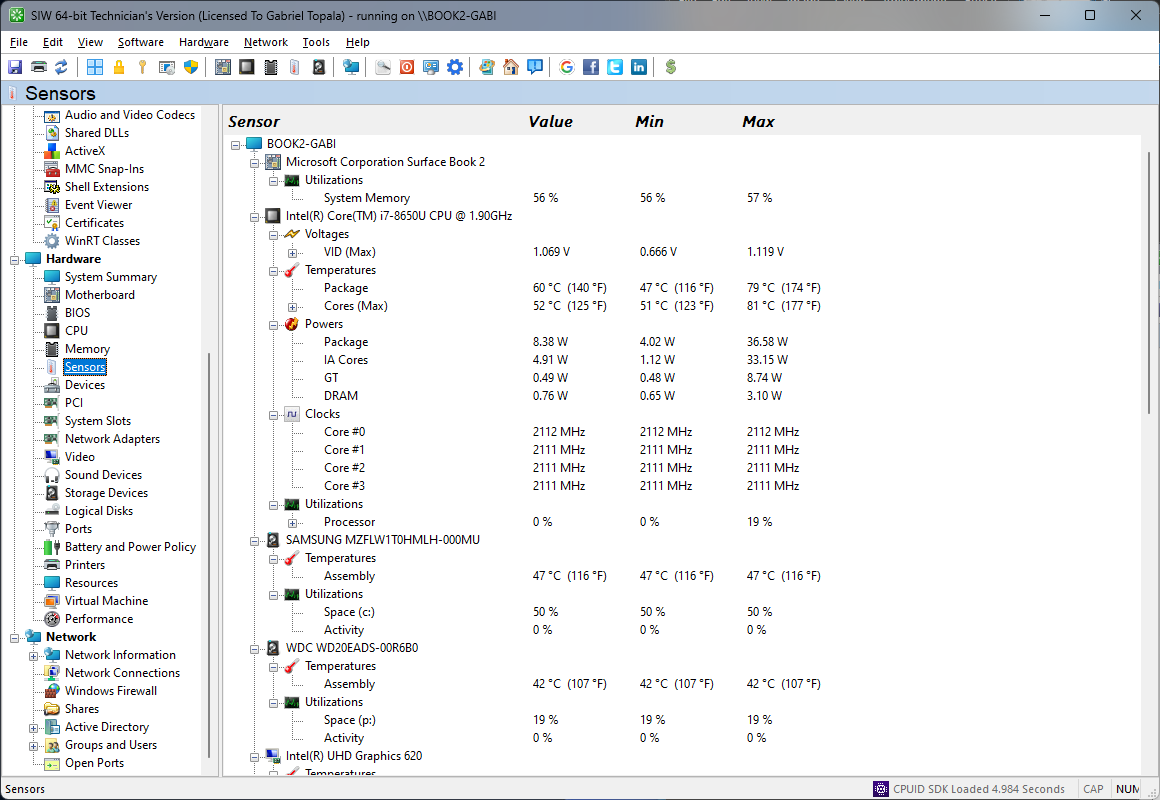
If the BIOS shows an RPM but SIW does not, the monitoring chip, driver path, or sensor mapping may not be supported. If both the BIOS and SIW omit the value, check the header, hub, fan wiring, and firmware configuration before assuming a software defect.
How fan-speed detection works
The fan's tachometer output is a pulse signal derived from the rotor. The motherboard or fan controller counts those pulses and converts them to revolutions per minute. A Super I/O chip, embedded controller, ACPI method, or vendor-specific controller may then make the result available to firmware and Windows.
That path is model-specific. SIW must identify the controller, map its raw input to the correct header, apply the expected pulse-per-revolution relationship, and avoid reporting unused or miswired inputs as real fans. Vendors can also apply board-specific calibration in firmware that a third-party reader cannot reproduce exactly.
For this reason, a missing reading is different from a reading of zero, and a displayed reading can still require comparison with the firmware or vendor utility. SIW's Sensors module documents what the platform exposes; it does not create a tachometer signal that the hardware does not provide.
Other causes of missing fan RPM
- The motherboard sensor controller is new or unsupported by the current SIW build.
- The BIOS restricts sensor access to a vendor utility or does not publish that header to ACPI.
- The header is configured for a pump, DC mode, or a fan-stop curve that does not produce a stable pulse stream.
- The fan has power but its tachometer wire is damaged, disconnected, or incompatible with the controller.
- The computer is a virtual machine or remote system with no direct access to physical fan hardware.
- The input is connected to a different device than its label suggests, so the displayed value is frozen or implausible.
Do not use a missing RPM value alone to conclude that the fan has failed. Check actual airflow, temperature, firmware alerts, and the physical connection. For a shorter version of this troubleshooting answer, see the SIW fan-speed FAQ.