How to Collect System Information Without Installing Software
Your one-stop solution for all your computer information needs.Latest SIW version: 16.16.1014 Released: October 14th, 2026 • What's new Download the free 14-day trial Buy SIW
Short answer
You can collect a useful Windows system snapshot without installing third-party software by combining Settings > System > About, msinfo32, systeminfo, PowerShell's Get-ComputerInfo, and ipconfig /all. Use msinfo32 /nfo or msinfo32 /report when you need a file to send to support.
Built-in tools provide a good operating-system, firmware, hardware-summary, and network baseline. They do not replace a full hardware sensor, SMART, software-license, or fleet-inventory tool.

Start with Windows Settings
- Open Settings > System > About.
- Record the device name, processor, installed RAM, system type, Windows edition, version, and build.
- Open System > Activation if the support case involves Windows licensing.
- Open System > Storage when the issue involves disk capacity or volumes.
Settings is the quickest manual snapshot, but it does not expose every firmware, device, software, or network field.
For a quick version-only check, press Windows + R, run winver, and record the version and OS build shown in the dialog. Use Settings or msinfo32 when you also need hardware and firmware identifiers.
Create a System Information file with msinfo32
Open Command Prompt or PowerShell and run:
msinfo32 /nfo "%USERPROFILE%\Desktop\system-info.nfo"
msinfo32 /report "%USERPROFILE%\Desktop\system-info.txt"
The NFO file can be reopened in System Information. The report option creates a text file. These reports include Windows, firmware, hardware resources, components, drivers, and software-environment information according to the categories collected.
Use systeminfo and PowerShell
For a command-line summary, run:
systeminfo /fo csv > "%USERPROFILE%\Desktop\systeminfo.csv"PowerShell can collect a consolidated Windows and operating-system object:
Get-ComputerInfo -Property 'Cs*','Os*','Bios*' |
    Out-File "$env:USERPROFILE\Desktop\computer-info.txt"
For network context, collect adapter addresses separately:
ipconfig /all > "%USERPROFILE%\Desktop\network-config.txt"Use the smallest command set that answers the support question. A full report can contain more personal, licensing, and network information than the recipient needs.
Optional SIW portable inventory
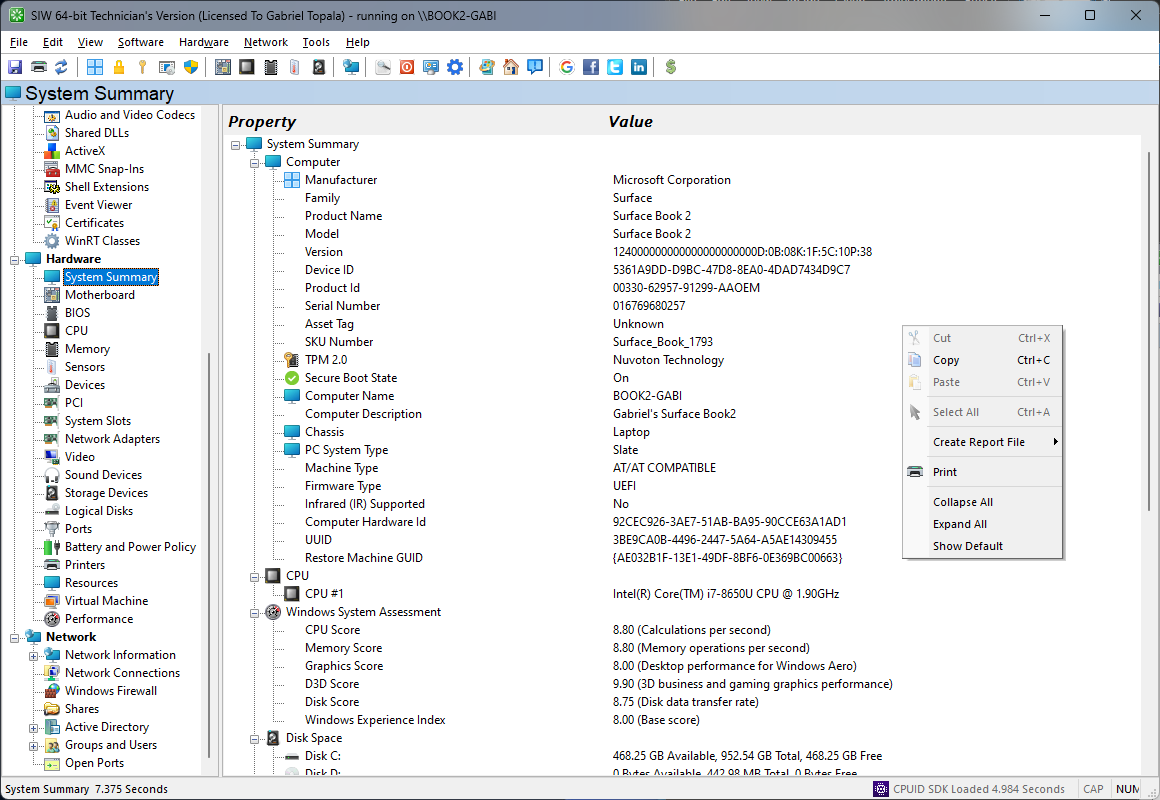
If built-in tools do not expose the required hardware or software detail, SIW Technician's Version can collect a broader report without a conventional installation. It is optional; the Windows methods above do not require SIW or any other third-party software.
Protect the collected information
System snapshots can include computer names, usernames, serial numbers, installed software, product IDs, partial license keys, IP addresses, shares, and security configuration. Keep the original files private, redact sensitive values before sharing, and send only the commands or categories relevant to the support case.