How to Find Windows Software License Information
Your one-stop solution for all your computer information needs.Latest SIW version: 16.16.1014 Released: October 14th, 2026 • What's new Download the free 14-day trial Buy SIW
Short answer
For Windows activation status, open Settings > System > Activation. For licensing channel, status, and a partial key, run slmgr /dlv from Command Prompt. For supported installed products, run SIW and open Software > Licenses. A digital entitlement, KMS or Active Directory activation, Microsoft Store package, or Click-to-Run product may not have a complete recoverable key on the local computer.
License information is sensitive. Record only what is needed for inventory or troubleshooting, and never publish a full product key or an unredacted license report.
Check Windows activation with built-in tools
- Open Settings.
- Select System, then Activation.
- Record whether Windows is activated and whether activation is associated with a digital license or organization account.
For more licensing detail, open Command Prompt and run:
slmgr /dlvThe dialog can show the Windows edition, license channel, activation status, activation identifiers, and a partial product key. To check whether the current activation is permanent or has an expiration date, run:
slmgr /xprThese commands report licensing state; they are not a guaranteed way to recover a complete product key.
Find supported software licenses in SIW
- Run SIW.
- Expand Software and select Licenses.
- Review the product name, detected key or partial key, edition, and related license information where available.
- Export only the minimum information required for an audit or support case.
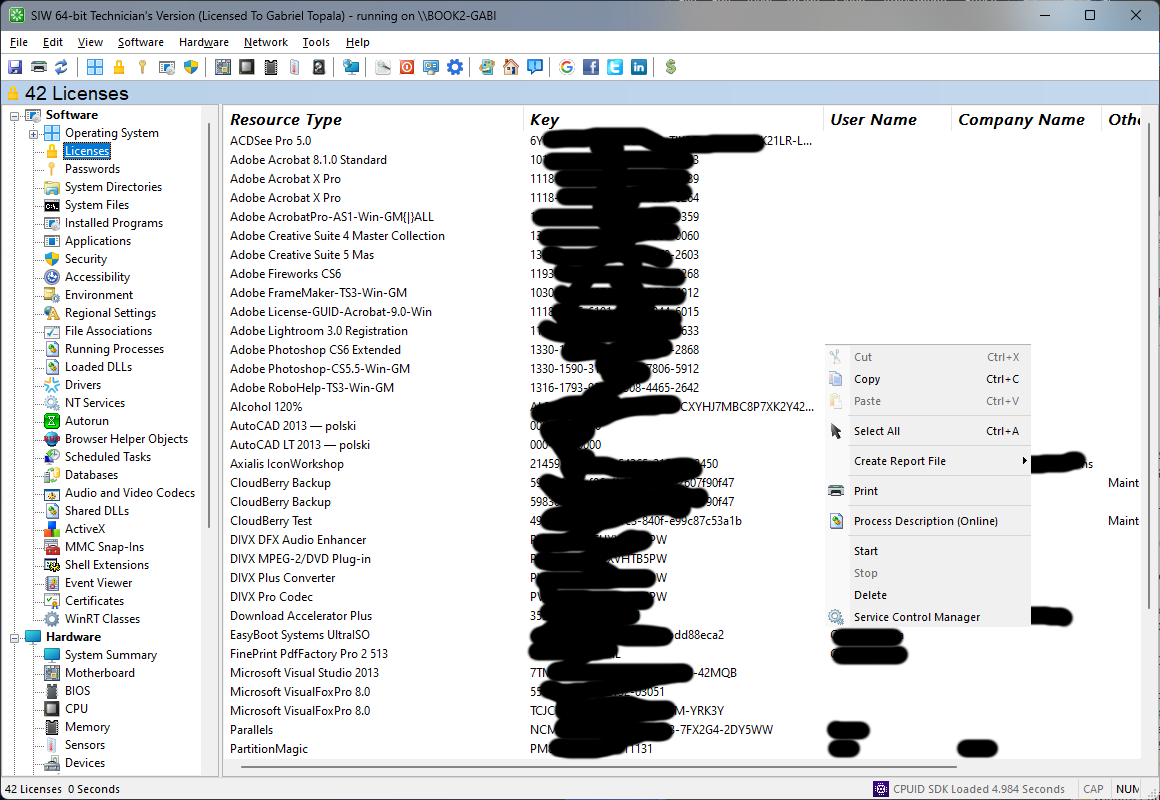
Why a complete product key may not be available
- Digital entitlement: activation can be associated with the device or Microsoft account instead of a reusable local key.
- OEM firmware activation: the key may be embedded in firmware and handled by Windows activation rather than displayed as ordinary software data.
- MAK, KMS, or Active Directory-based activation: the organization may use a volume-activation service instead of a unique retail key stored on the PC.
- Microsoft Store and subscription products: entitlement may be managed by an account or service rather than a traditional key.
- Click-to-Run products: the local system may expose only a partial key or licensing channel.
For Microsoft Office, check the Microsoft account or purchase documentation associated with the license. SIW may still provide a useful partial key for matching an installed product to existing records.
Protect license information
Do not paste full keys into support forums, issue trackers, screenshots, chat messages, or public reports. Redact keys, serial numbers, activation identifiers, usernames, and organization names before sharing. Store the original license report in a restricted location and use a partial key or product name when that is enough to identify the installation.