How to Find Your IP Address and MAC Address in Windows
Your one-stop solution for all your computer information needs.Latest SIW version: 16.16.1014 Released: October 14th, 2026 • What's new Download the free 14-day trial Buy SIW
Short answer
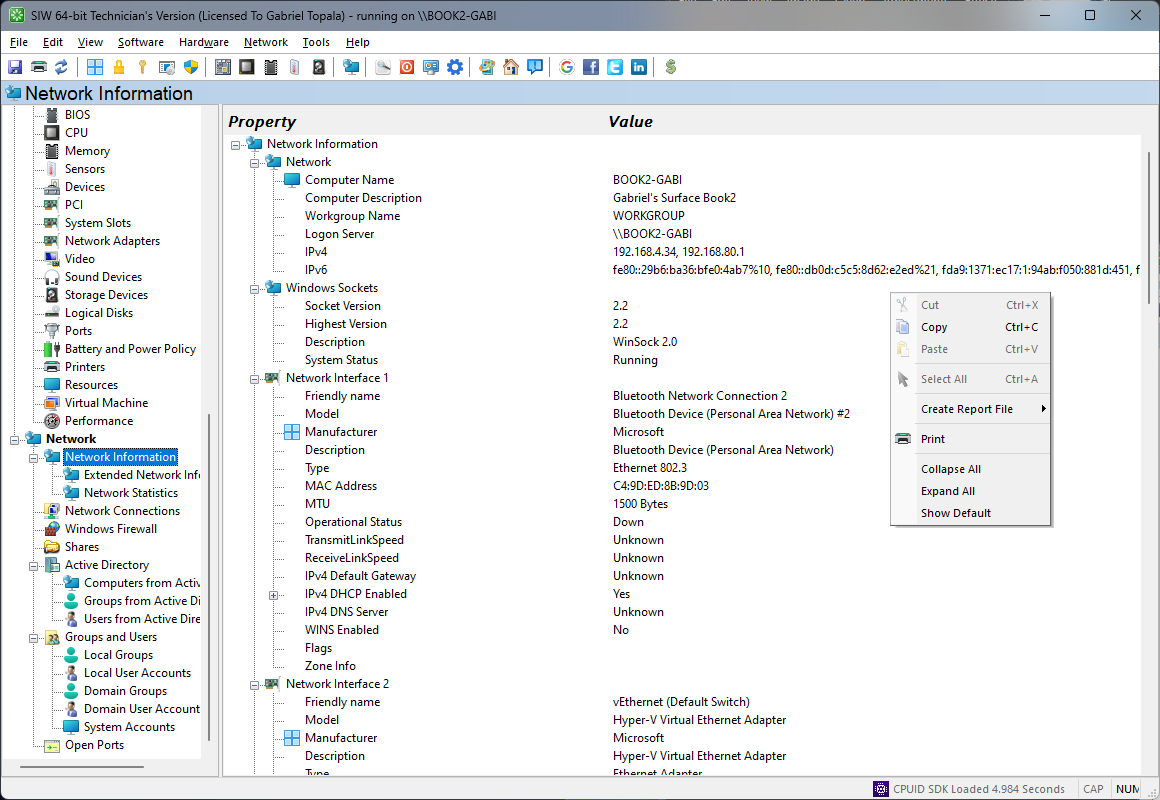
Open Command Prompt and run ipconfig /all to see the addresses, gateway, DNS servers, and adapter details used by Windows. Run getmac /v /fo list to list MAC addresses with adapter connection information. SIW shows the computer name, host name, IP addresses, adapter name, and MAC address together in Network > Basic Information.
Use ipconfig for IP configuration
Open Command Prompt or PowerShell and run:
ipconfig /allFor the active adapter, look for IPv4 Address, IPv6 Address, Default Gateway, DHCP Server, and DNS Servers. An address beginning with 169.254. is an automatic private address usually assigned when DHCP did not provide a normal IPv4 lease.
PowerShell provides structured output:
Get-NetIPConfiguration -DetailedUse Get-NetIPConfiguration -All when you also need disconnected, loopback, or virtual interfaces. Multiple addresses are normal on computers with Wi-Fi, Ethernet, VPN, Hyper-V, Docker, or other virtual adapters.
Use getmac for MAC addresses
Run:
getmac /v /fo listThe verbose output associates a physical address with a connection name and adapter information. You can also inspect adapters in PowerShell:
Get-NetAdapter |
    Select-Object Name, InterfaceDescription, Status, MacAddress, LinkSpeed
A MAC address identifies a network interface at the link layer. It is not an Internet address, and it may be changed or randomized by the operating system, a virtual machine, a VPN, or a network adapter driver.
When a computer has several adapters, compare the connection name and interface description instead of copying the first address shown. Wi-Fi, Ethernet, VPN, Bluetooth, Hyper-V, and Docker interfaces can all have different MAC addresses.
Find network identity in SIW
- Run SIW.
- Expand Network and select Basic Information about Network Configuration.
- Review the computer name, host name, domain or workgroup, adapter name, IP address, and MAC address.
- Open Extended Information about Network when you need additional adapter, ARP, or external-connectivity context.
Private, public, IPv4, and IPv6 addresses
A computer can have a private address on a local network and a different public address visible to an Internet service. IPv4 and IPv6 addresses can coexist, and a single adapter can have several addresses for different scopes or purposes. A VPN or proxy can also change which address a remote service sees.
When reporting a connectivity problem, include the adapter name, address family, prefix or subnet information, default gateway, DNS server, and whether the address came from DHCP. Redact public addresses and other network identifiers before publishing a report in a public forum.