How to List Installed Programs in Windows
Your one-stop solution for all your computer information needs.Latest SIW version: 16.16.1014 Released: October 14th, 2026 • What's new Download the free 14-day trial Buy SIW
Short answer
On Windows 11, open Settings > Apps > Installed apps for a searchable list of applications. For a repeatable desktop-software inventory, PowerShell can read the per-machine and per-user uninstall records. SIW combines installed-program information from Windows Installer and the Registry and adds publisher, version, source, and related inventory fields when available.
No single Windows list contains every program. Portable applications, some Microsoft Store packages, software installed for another user, and applications that do not register uninstall data may require a different inventory method.
Use Windows Settings
- Open Settings.
- Select Apps, then Installed apps.
- Search by program name or publisher, or sort the list by name, size, or installation date.
- Use the program's menu to open its uninstall or repair action when Windows provides one.
This view is convenient for interactive maintenance, but it is not a forensic inventory. The displayed date and size can be missing or represent package metadata rather than the complete footprint of the software.
List registered desktop programs with PowerShell
The following query checks the common 64-bit, 32-bit, and current-user uninstall locations:
$uninstallPaths = @(
    'HKLM:\Software\Microsoft\Windows\CurrentVersion\Uninstall\*',
    'HKLM:\Software\Wow6432Node\Microsoft\Windows\CurrentVersion\Uninstall\*',
    'HKCU:\Software\Microsoft\Windows\CurrentVersion\Uninstall\*'
)
Get-ItemProperty $uninstallPaths |
    Where-Object DisplayName |
    Select-Object DisplayName, DisplayVersion, Publisher, InstallDate |
    Sort-Object DisplayName
Windows Package Manager can provide another view when it is installed:
winget listThe Registry query reports programs that register uninstall information. winget list reports packages recognized by Windows Package Manager. Neither command is guaranteed to include portable applications or every Store and enterprise deployment.
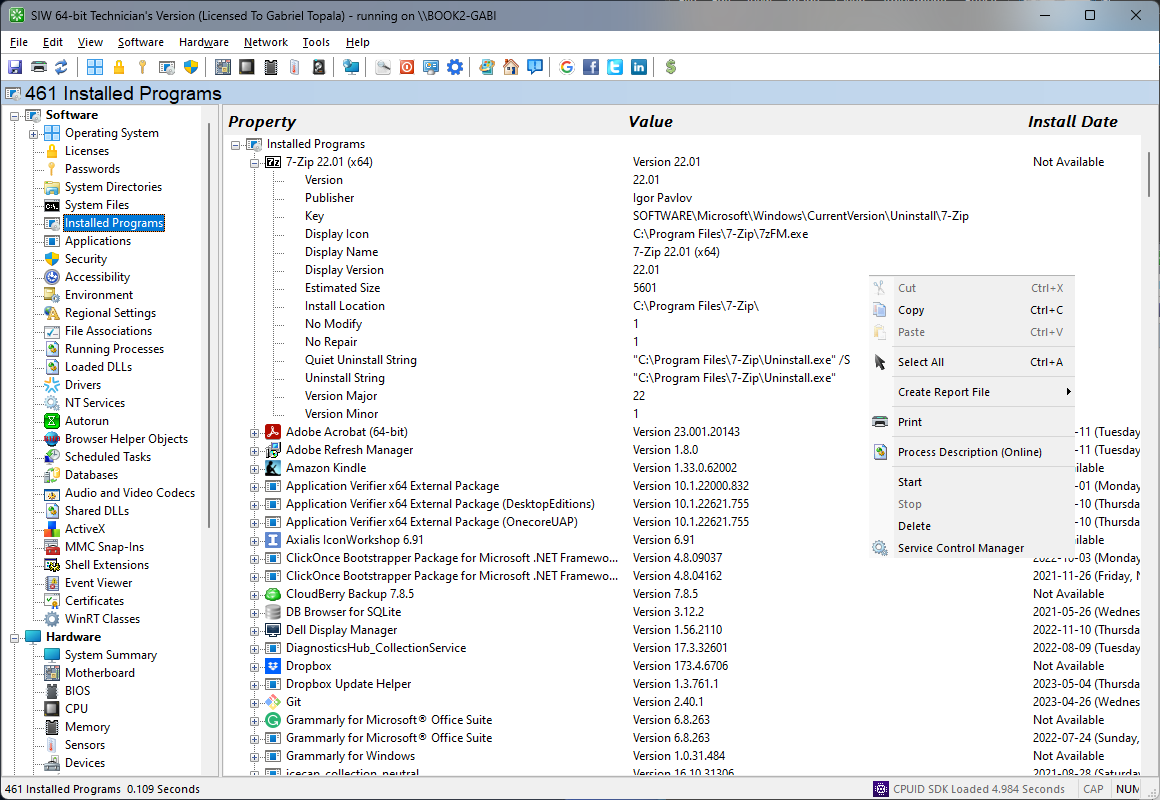
List installed programs in SIW
- Run SIW.
- Expand Software and select Installed Programs.
- Review program name, publisher, version, installation source, uninstall data, and related metadata where available.
- Export the result when you need an inventory for support, migration, or software-audit documentation.
Why lists can disagree
Windows Installer packages usually register product and uninstall information, while Store applications use package and deployment metadata. A portable application may have no installer record at all. Per-user installations can appear only in the installing user's Registry hive, and 32-bit software on 64-bit Windows uses a separate Registry view.
Version strings also describe different things: the installer product version, the executable file version, and the package version may not match. When an inventory matters, record the source used, the user scope, the publisher, and the exact version field rather than assuming that two different lists are reporting the same value.